Lesson 14 of 147 min read
Your team, your plan, help and Claude
Invite technicians and office staff, track hours and trucks, pick the right Clean Bin System plan, find help, and run the business from Claude or ChatGPT.
The last lesson covers the business around the routes: who works in it and what each person sees, what you pay for Clean Bin System, where to find answers, and how to run it all by asking Claude or ChatGPT in plain words.
Roles: who sees what
| Role | Back office | Driver app | What they can do |
|---|---|---|---|
| Owner | Yes | Yes | Everything, including adding and changing owners and office managers |
| Office manager | Yes | Yes | Run the business, and add and change technicians and sales reps |
| Technician | No | Yes | Drive routes: their stops, photos and time clock |
| Sales rep | No | Yes | Sign up neighbors at their door, and see their own sign-ups |
Give each person the smallest role that does the job. A technician can’t open the back office at all, and an office manager can run the day but can’t change your access.
To invite someone:
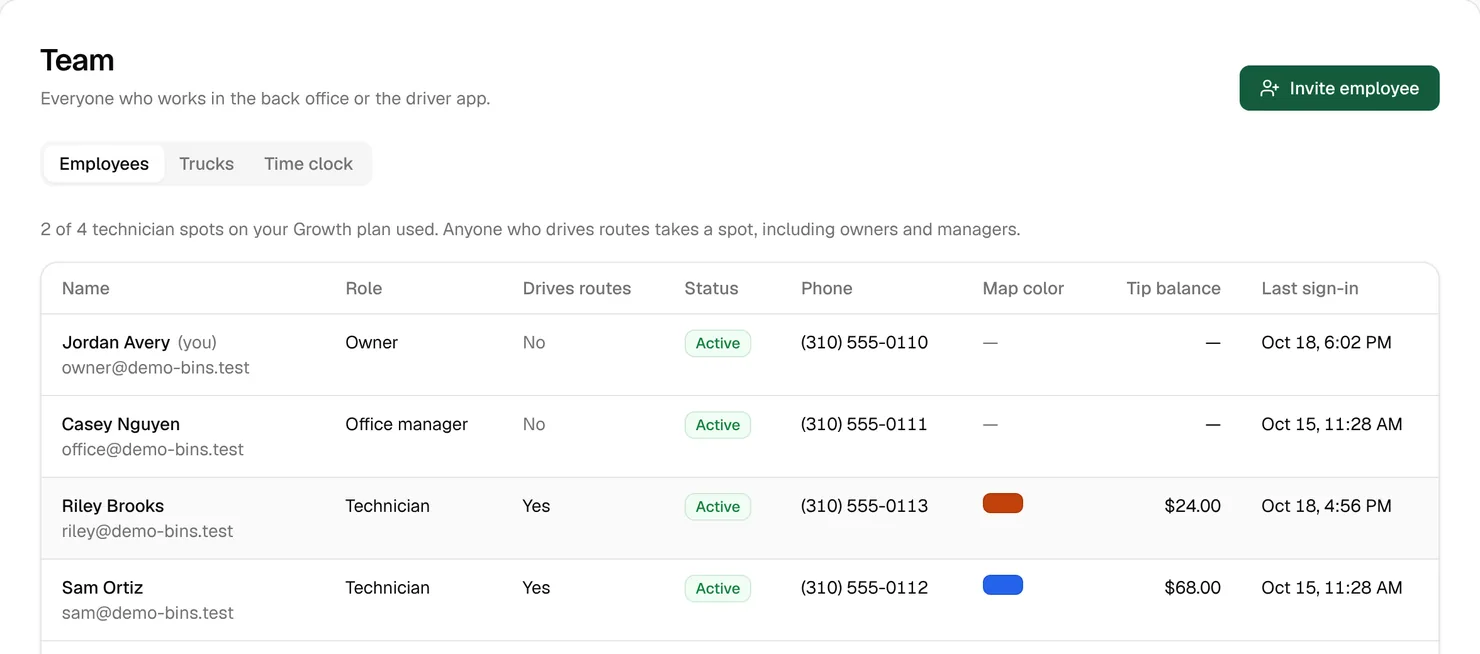
- Open Business › Team and click Invite employee.
- Fill in their name, Email and Mobile phone. The invite goes to both.
- Choose the Role and a Color on maps, which is the color of their route in Dispatch.
- Click Send invite.
They get a link to set a password, and it works for 7 days. Until they use it they show as Invited, and a technician can’t be given stops. If the link runs out, open their page and click Send invite again.
Technician spots
Everyone who drives routes takes a technician spot on your plan: every technician, plus any owner or manager with Also drives routes ticked. Starter includes 1 technician, Growth up to 4 technicians and Pro any number of technicians. Office managers and sales reps who don’t drive don’t take one. When every spot is taken, the Team page offers a one-click switch to the next plan.
When someone leaves, open their page and click Deactivate. They’re signed out everywhere at once, their past work and tips stay on record, and they stop taking a spot.
Watch out: Deactivating someone doesn’t move their stops. Open Routes › Dispatch and give them to someone else (Lesson 8).
The time clock and trucks
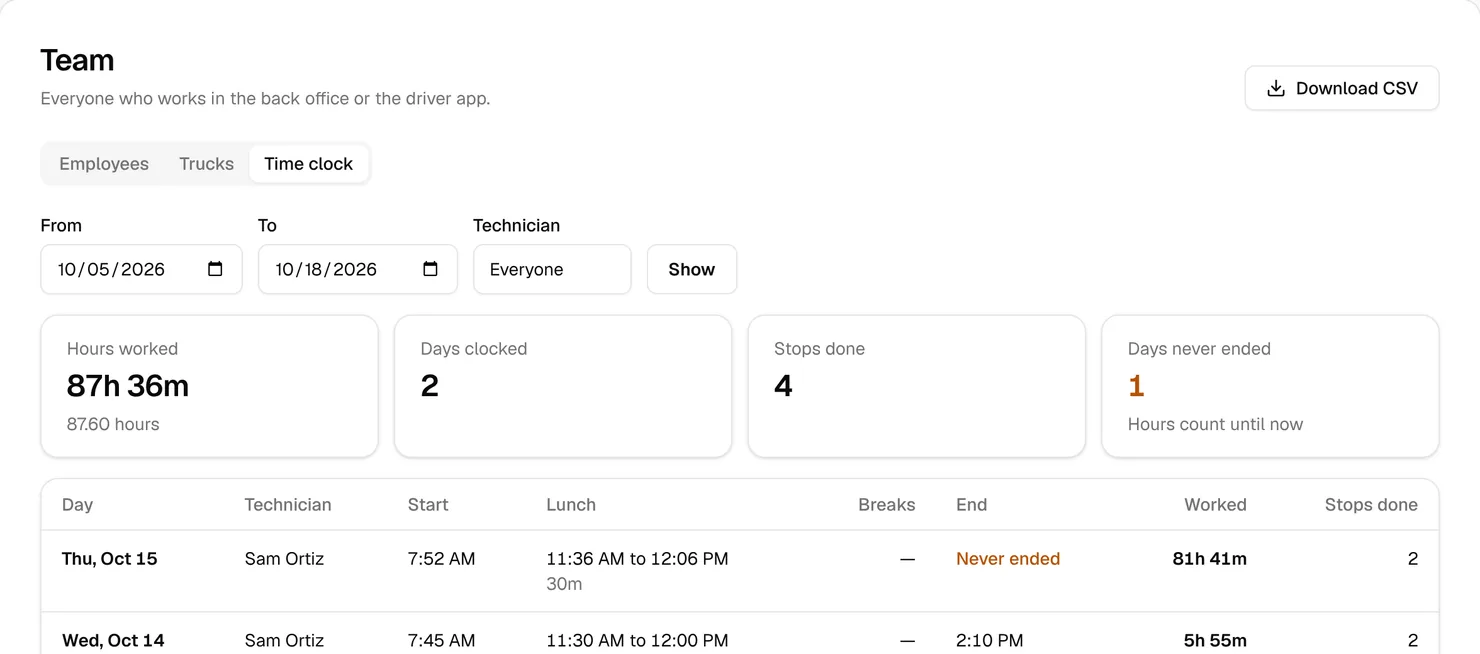
Technicians start and end their day, lunch and breaks in the driver app (Lesson 9). The Time clock tab on Business › Team is the record: Hours worked, Days clocked, Stops done and Days never ended. Set From, To and Technician, click Show, then Download CSV for payroll.
You need real hours even if you pay per stop or by the day. A route technician is almost always an employee, and overtime applies past 40 hours a week either way (hiring lesson).
Watch out: A day nobody ended keeps counting up to now, which is how one forgotten day above passed 80 hours. Times can’t be edited here, so check Days never ended and fix those days in your payroll.
The Trucks tab keeps each truck’s plate, VIN, mileage, and Registration expires and Insurance expires dates in one place. A date 30 days away or less gets an Expires soon badge, and an orange line warns you while any truck in service is due. When you sell a truck, switch In service off.
Your Clean Bin System plan
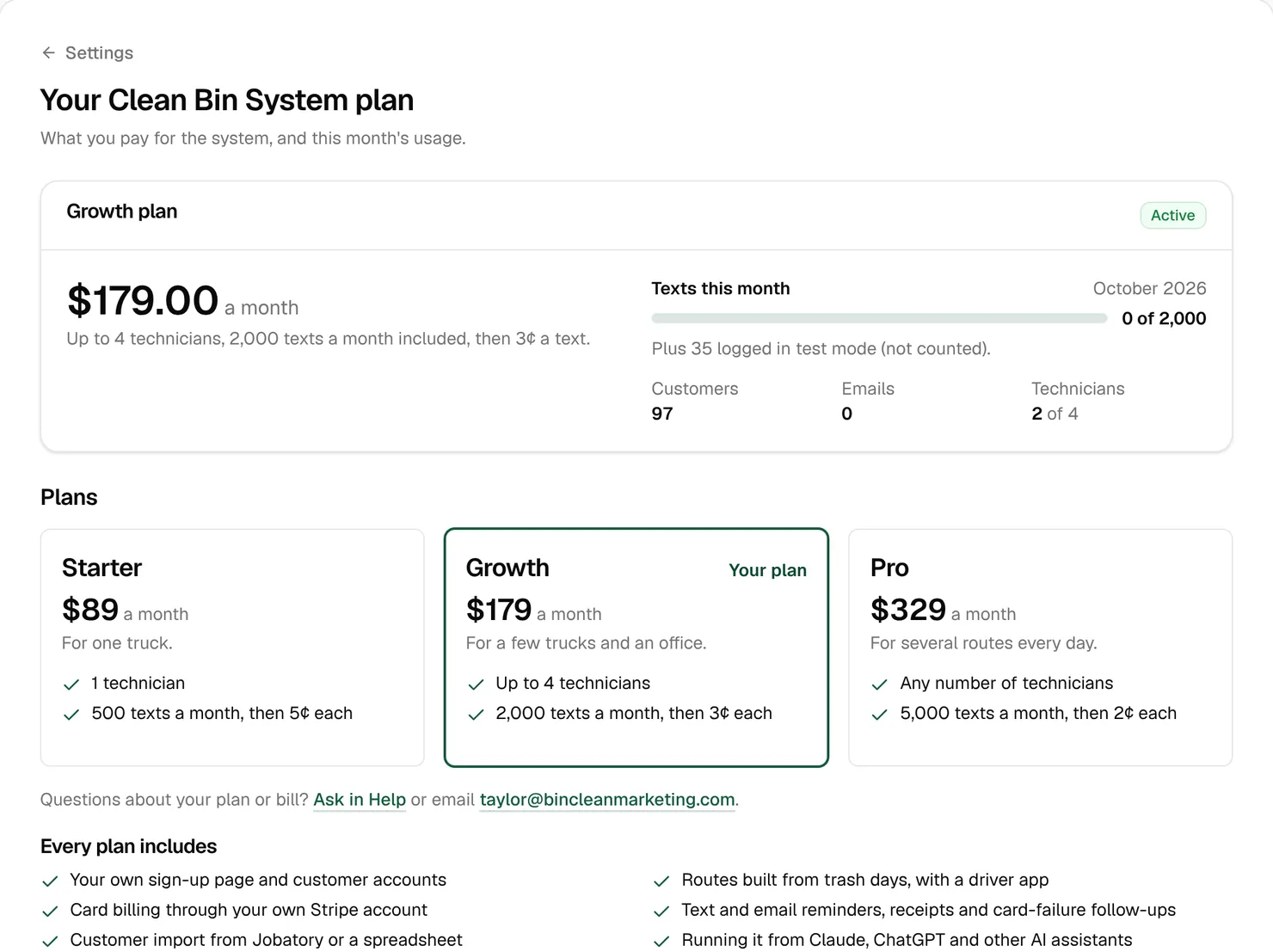
Open Business › Settings › Your Clean Bin System plan. It shows your plan, this month’s texts against what’s included, and your customers, emails and technicians.
| Plan | Price | Technicians | Texts a month | Each extra text |
|---|---|---|---|---|
| Starter | $89 a month | 1 technician | 500 | 5¢ |
| Growth | $179 a month | up to 4 technicians | 2,000 | 3¢ |
| Pro | $329 a month | any number of technicians | 5,000 | 2¢ |
Every plan has every feature. They differ only in technicians and texts, so the right plan is the cheapest one with a spot for everyone who drives routes, at the number of texts you send.
Example: At 3 to 4 texts per customer per cleaning, 100 customers on a plan every 4 weeks send roughly 330 to 430 texts a month. Once you send more than your plan includes, each plan card shows what last month would have cost on it, and a note says when a bigger plan would have cost less.
Growth and Pro can be paid yearly where it’s offered, and a year costs 10 months. Card, invoices or cancel opens Stripe’s billing page to update your card, download invoices or cancel. The free trial lasts 1 day, and nothing is charged until it ends. If a trial ends without a plan, your business pauses: the sign-up page goes off and automatic texts, emails and charges stop, but nothing is deleted.
Help when you need it
- The Help button in the bottom corner of every back-office page opens the guide for the page you’re on, with a search box, the welcome tour and a link to ask Clean Bin System.
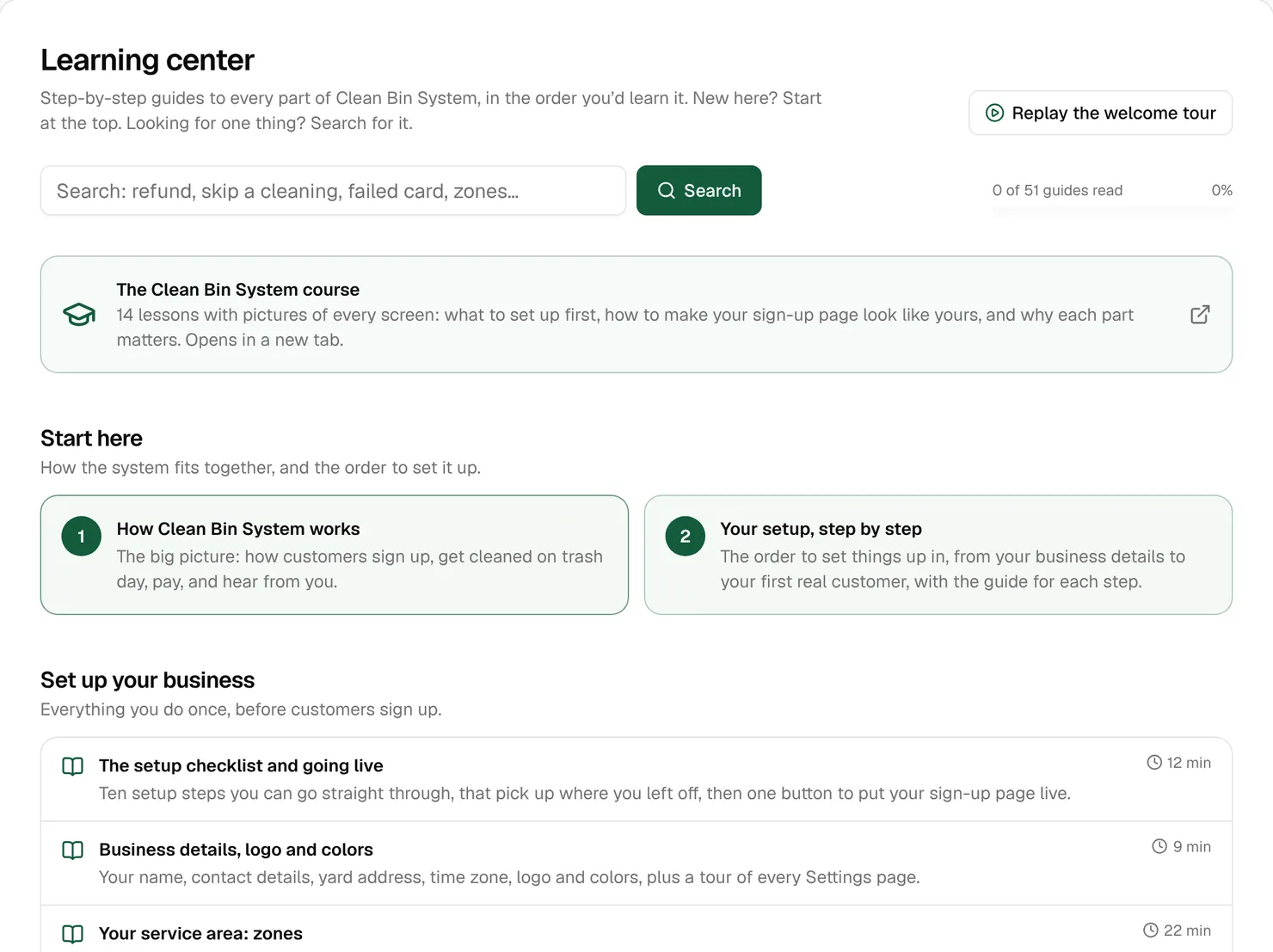
- The Learning center, just under Dashboard in the menu, has a step-by-step guide to every page, in the order you’d learn them, with search. It keeps track of how many you’ve read.
- Business › Help reaches Clean Bin System support. Write a Subject, choose what It’s about, describe it under What’s going on? and attach a Screenshot if it helps. The answer comes back to the same page and to your email, and every owner and office manager can see and reply. Help works even while your business is paused.
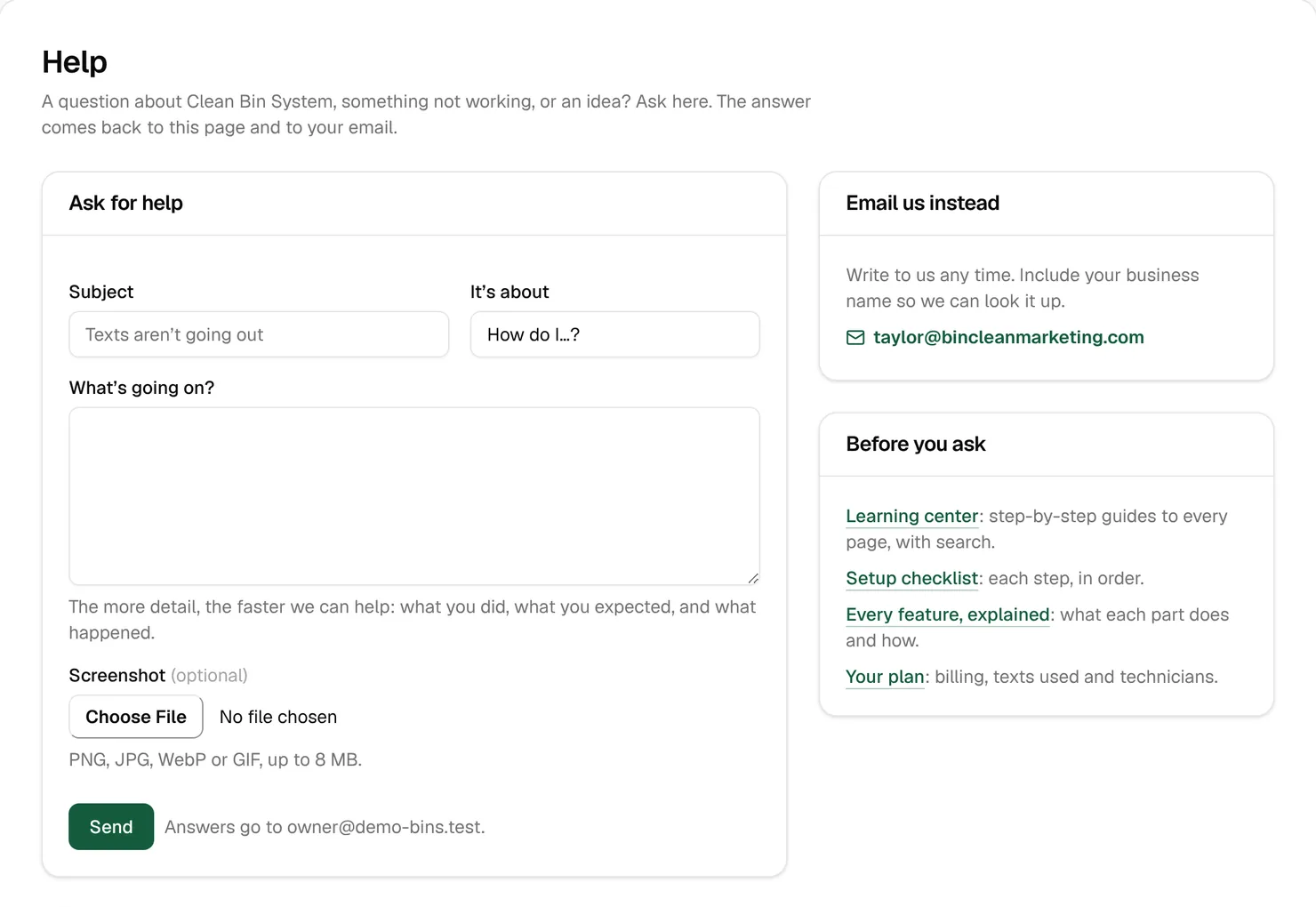
Tip: Say what you did, what you expected and what happened, and attach a screenshot. That’s the fastest way to an answer.
Run it from Claude or ChatGPT
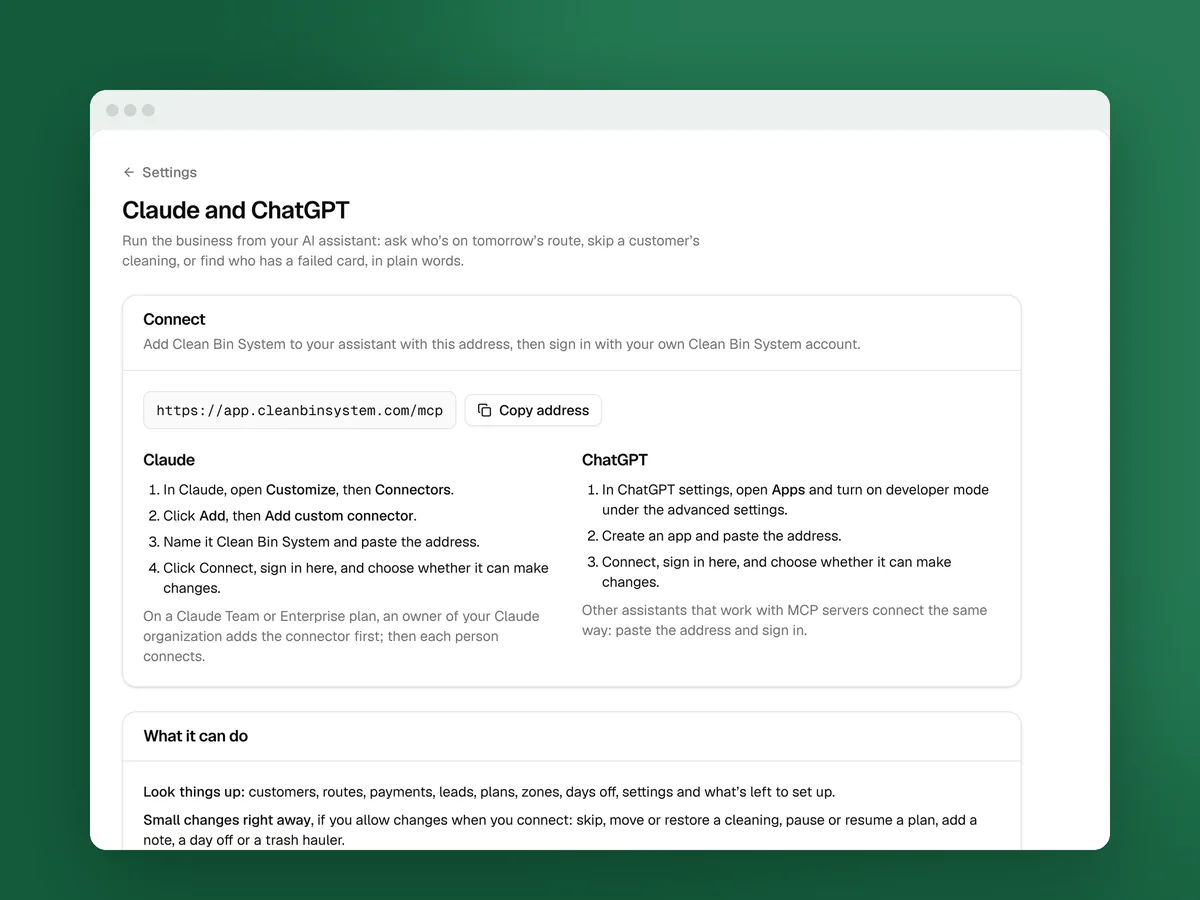
You can run the business by asking an AI assistant in plain words: “Who’s on tomorrow’s route?”, “Skip the Riveras’ cleaning on Friday”, “Who has a failed card?” It can also set your business up with you: your profile, zones, plans and prices, team invites and more.
To connect Claude:
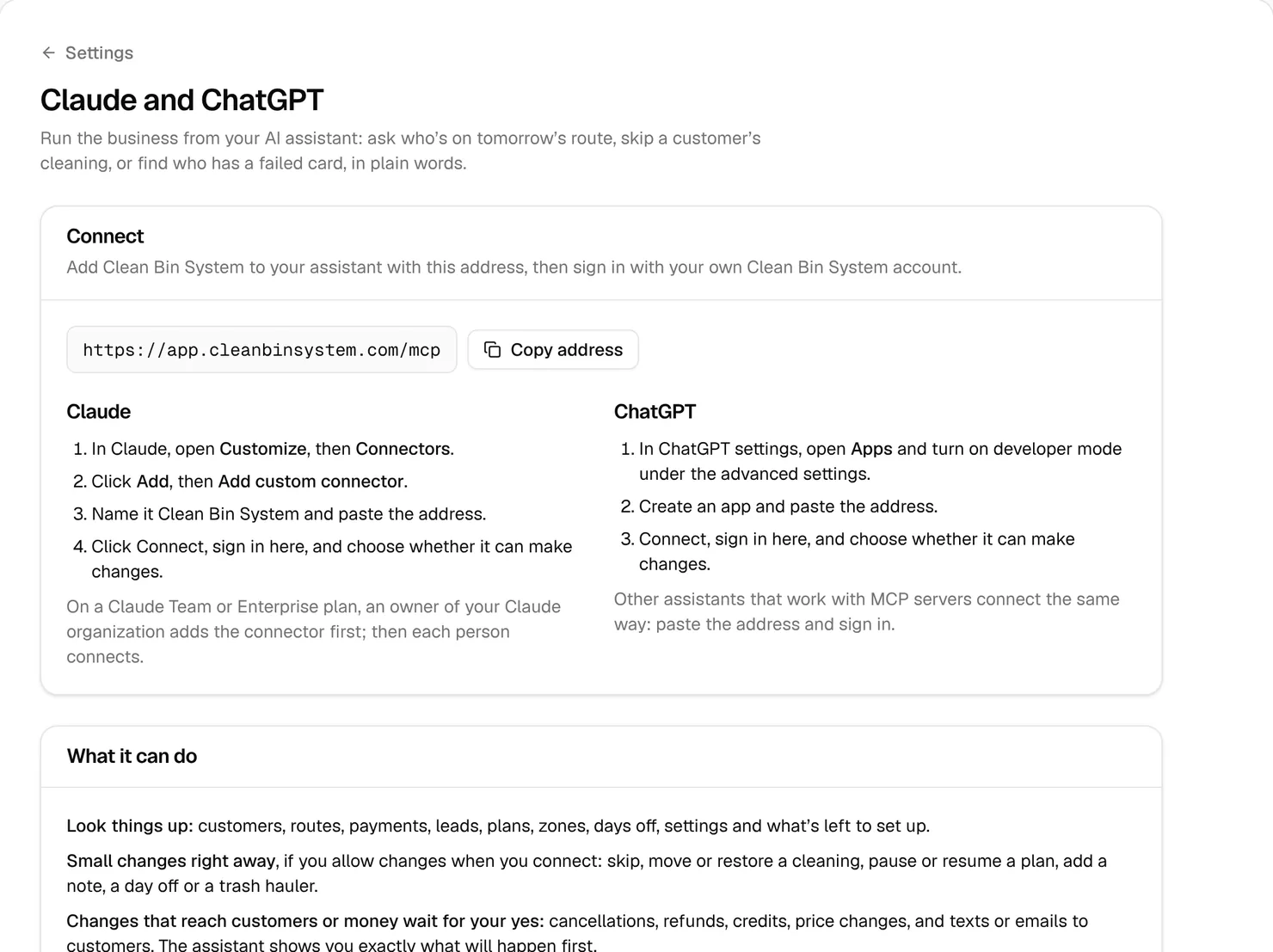
- Open Business › Settings › Claude and ChatGPT and click Copy address.
- In Claude, open Customize, then Connectors. Click Add, then Add custom connector.
- Name it Clean Bin System, paste the address and click Connect.
- Sign in with your own Clean Bin System account. Leave Let it make changes ticked, or untick it for look-up only, and click Allow.
ChatGPT connects the same way from Apps in its settings, with developer mode turned on. The page has both sets of steps.
What happens when you ask for a change:
- Right away, if you allowed changes: skip, move or restore a cleaning, pause or resume a plan, add a note, a day off or a trash hauler.
- Only after your yes, once it has shown you exactly what will happen: cancellations, refunds, credits, price changes, texts or emails to customers, and setup changes like zones, plans, billing settings, team invites and going live.
Every change shows in the history with your name and the assistant’s, like “Jordan via Claude”. Each person connects with their own account and gets what their role allows. Technicians see only their own route, and sales reps can’t connect. Your logo, card payments and texting number are still set up in the back office.
Watch out: When you ask about customers, the assistant’s company (Anthropic for Claude, OpenAI for ChatGPT) receives what the assistant reads, under your account with them. To cut a connection off, click Disconnect under “Connections”.
Key takeaways
- Owners and office managers get the back office. Technicians and sales reps get the driver app.
- Everyone who drives routes takes a technician spot, owners included.
- Check Days never ended on the time clock before you run payroll.
- Every plan has every feature, so pick the cheapest one with room for your drivers and your texts.
- The Help button on every page opens that page’s guide, and Business › Help reaches support.
- Claude or ChatGPT can do most of the work, and anything that reaches customers or money waits for your yes.
FAQ
Does an owner who cleans bins take a technician spot?
Yes, once Also drives routes is ticked on their page. Office managers and sales reps who don’t drive routes don’t take one.
Can I fix a technician’s hours on the time clock?
No. It only shows what they recorded in the driver app. Adjust a forgotten end of day in your payroll.
What happens when my free trial ends?
With a card on file, it’s charged your plan’s price unless you canceled. Without one, your business pauses until you choose a plan. Nothing is deleted.
Can Claude cancel or refund a customer on its own?
No. Cancellations, refunds, credits, price changes and messages to customers wait for your yes, after it shows you exactly what will happen.
Can my technicians use Claude or ChatGPT?
Yes, with their own accounts, and they see only their own route. Sales reps can’t connect.