Get paid for every cleaning without chasing anyone
Cards are saved at sign-up and charged on your schedule through your own Stripe account. When a card fails, it’s tried again and the customer gets a one-tap link to fix it. You stop sending “hey, your card didn’t go through” texts.
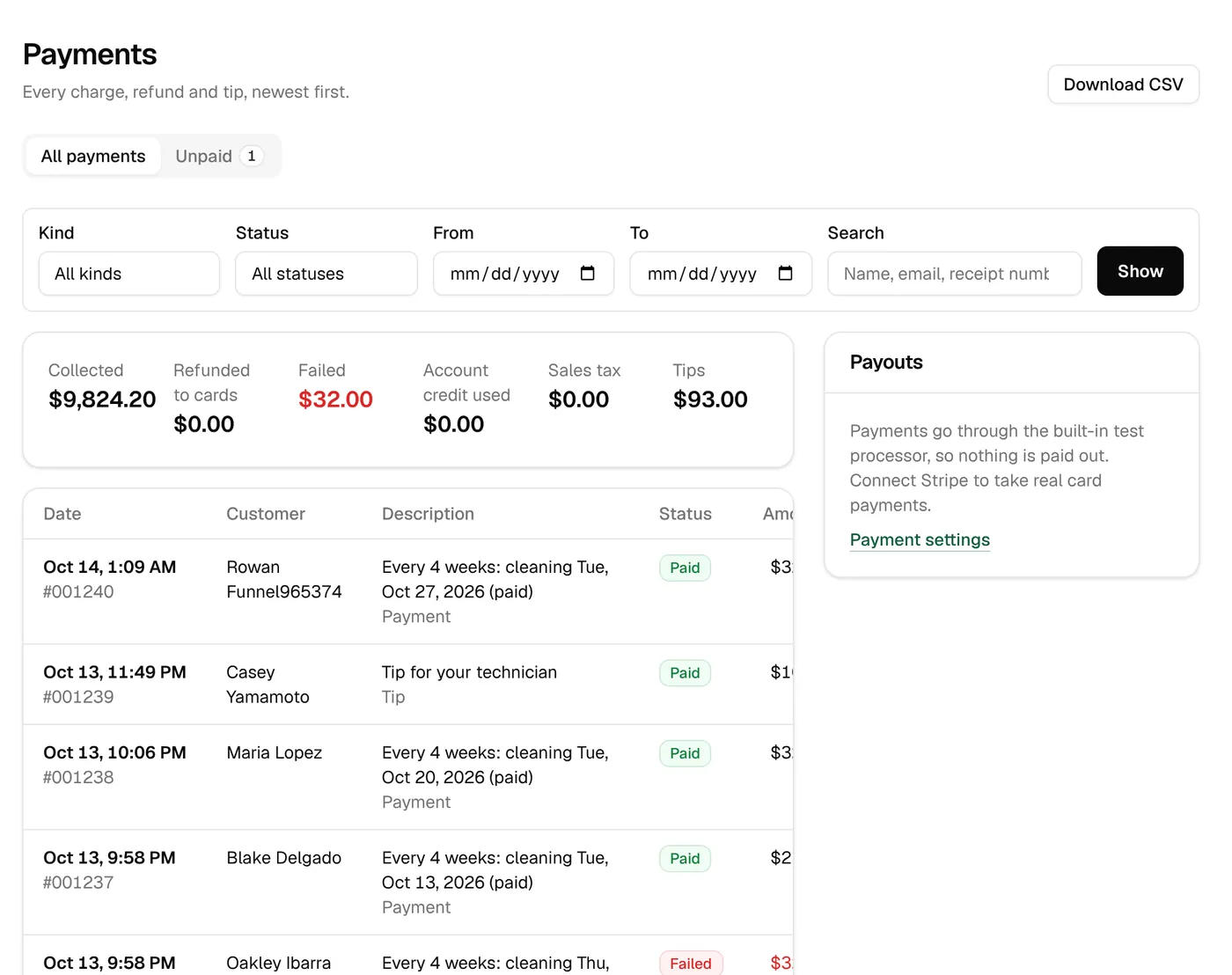
Your money, your Stripe account
Connect your Stripe account in Settings and every payment goes straight to it, paid out to your bank on Stripe’s schedule. Customers can pay with Apple Pay or Google Pay, and every payment has a receipt.
- Connect an existing Stripe account or create one
- Apple Pay and Google Pay in the card form
- Email receipts, and numbered receipts in the customer’s account
- Coming from Jobatory? Connect the same Stripe account and saved cards keep working
Charge when you want to
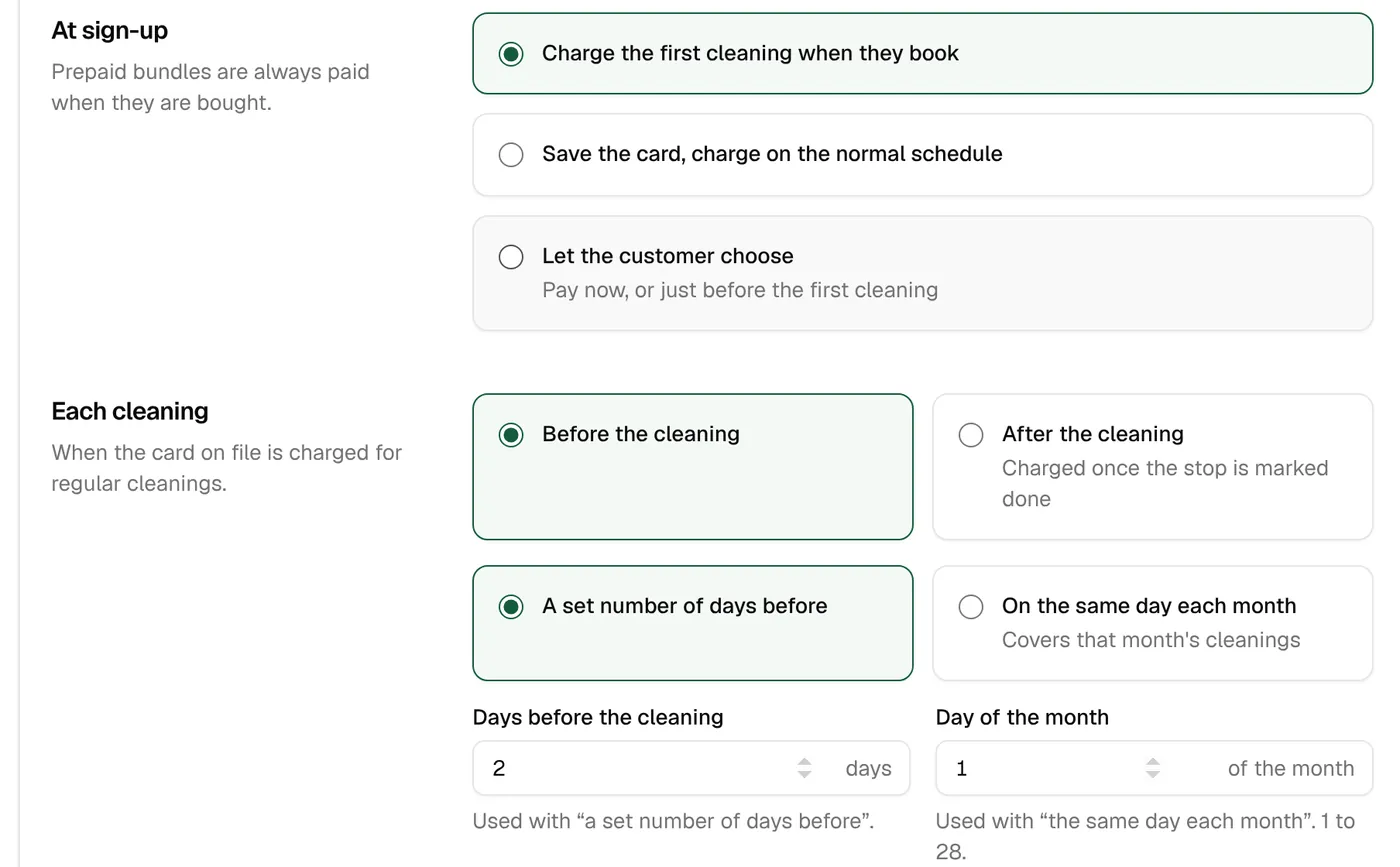
Pick when cards are charged: a few days before each cleaning, after the stop is marked done, or on the same day every month. Choose whether the first cleaning is charged at sign-up. Customers who pay by invoice get one after each cleaning.
- A set number of days before each cleaning (2 to start, 0 to 14)
- After the stop is marked done
- On the same day each month, for the cleanings in the month ahead
- At sign-up: charge the first cleaning, just save the card, or let them choose
- Every morning at 5 am your time
Failed cards, followed up for you
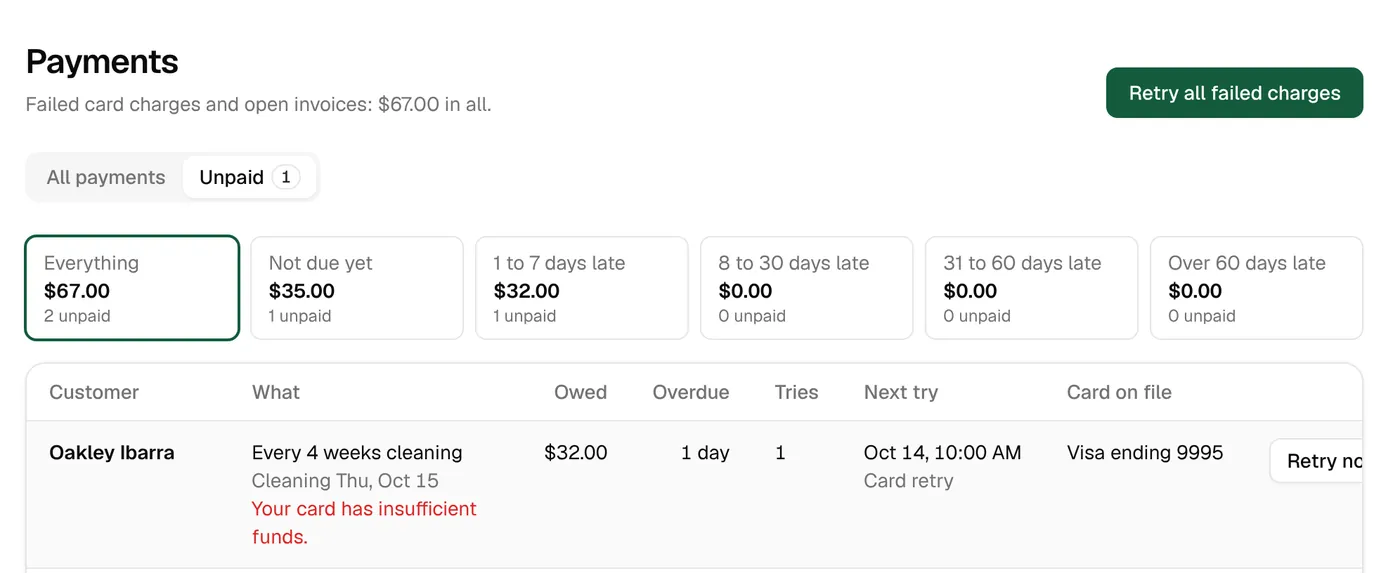
A declined card is tried again on a schedule, and every failed try sends a text and email with a one-tap link to update the card. A new card pays everything owed at once.
- Retries at 10 am, 1, 2, 4, 7, 10, 15 and 20 days after the first failure, then every 30 days
- A one-tap update-card link with each failed try
- Adding a card retries all of it
- Retry every failed charge with one button
- Unpaid balances grouped by age: 1–7, 8–30, 31–60 and over 60 days
Courtesy cleanings, then on hold
Decide how many cleanings someone can be behind before their plan goes on hold. On hold, their future cleanings come off the route and they’re told why. When they pay, they’re back on.
- From 1 to 6 unpaid cleanings, or off
- Back on automatically when they pay
- A heads-up when a card is about to expire
Invoices and quotes
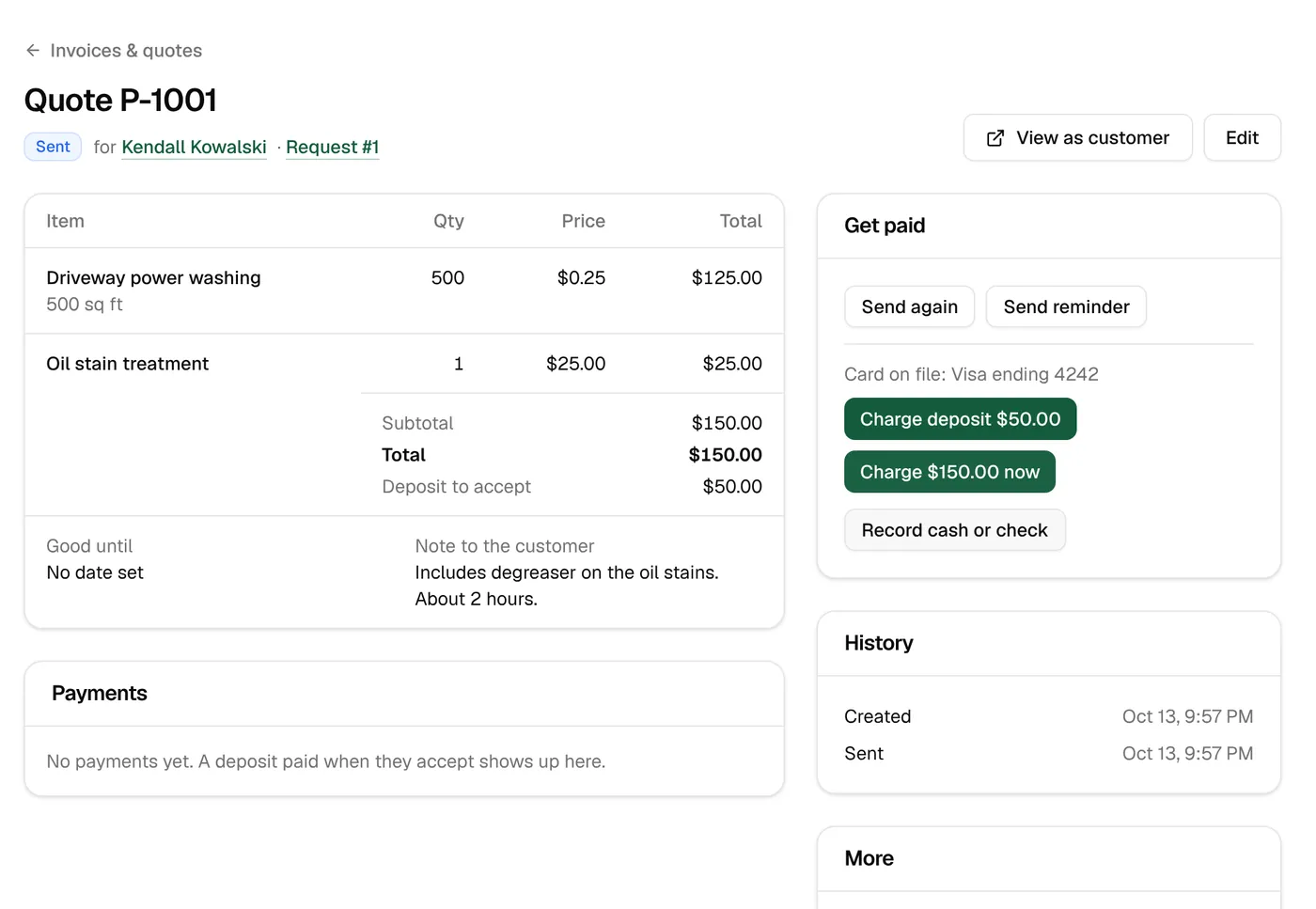
For HOAs, commercial accounts and one-off jobs, send a quote or invoice by text and email. Customers open it, pay online or accept the quote and pay the deposit, and you see when they’ve viewed it.
- Up to 100 lines, with add-ons, tax, deposits and due dates
- Reminders 1, 2, 4, 7 and 14 days after sending
- Charge the card on file, or record cash or a check
- Quotes re-sent until they’re answered
Refunds, credit and the little things
Refund all or part of a payment to the card or as account credit. Credit comes off the next cleaning on its own, and every change is kept with the reason.
- Full or partial refunds, to the card or as credit
- Account credit used on the next cleaning
- Tips that go 100% to the technician
- Gift cards sold on your sign-up page
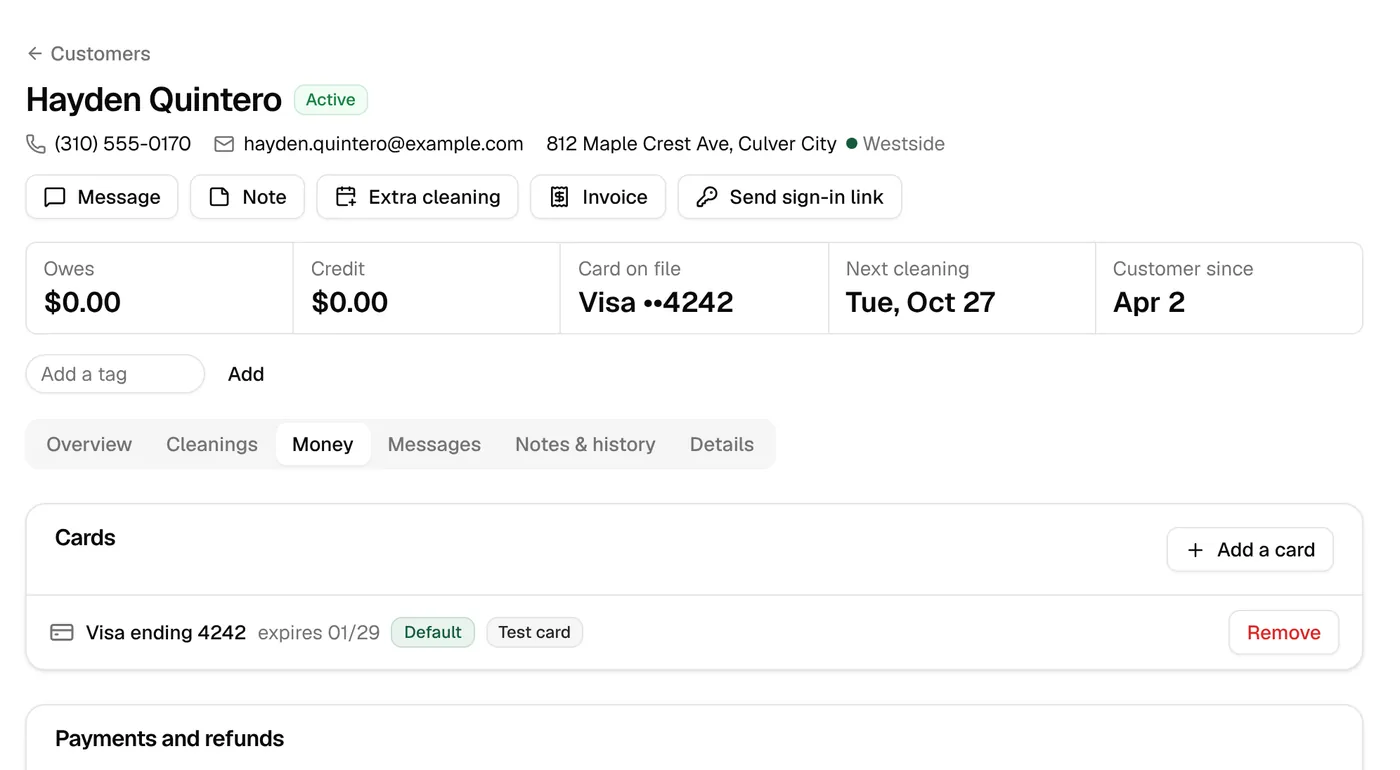
Billing & payments
The details
- Processor
- Your own Stripe account (Stripe Connect)
- Charge timing
- N days before, after the stop, or a set day monthly
- At sign-up
- Charge the first cleaning, save the card, or let them choose
- Retries
- Days 1, 2, 4, 7, 10, 15 and 20, then every 30 days (adjustable)
- Update-card link
- With every failed try; good for 7 days
- Courtesy cleanings
- Off, or 1–6 before the plan goes on hold
- Invoice reminders
- Days 1, 2, 4, 7 and 14 after sending (adjustable)
- Wallets
- Apple Pay and Google Pay
Keep exploring
Try it with your own prices and routes.
3 days free with every feature, and nothing is charged until the trial ends. Everything begins in test mode, so nothing reaches your customers until you’re ready.