Today’s stops, on a map, in order
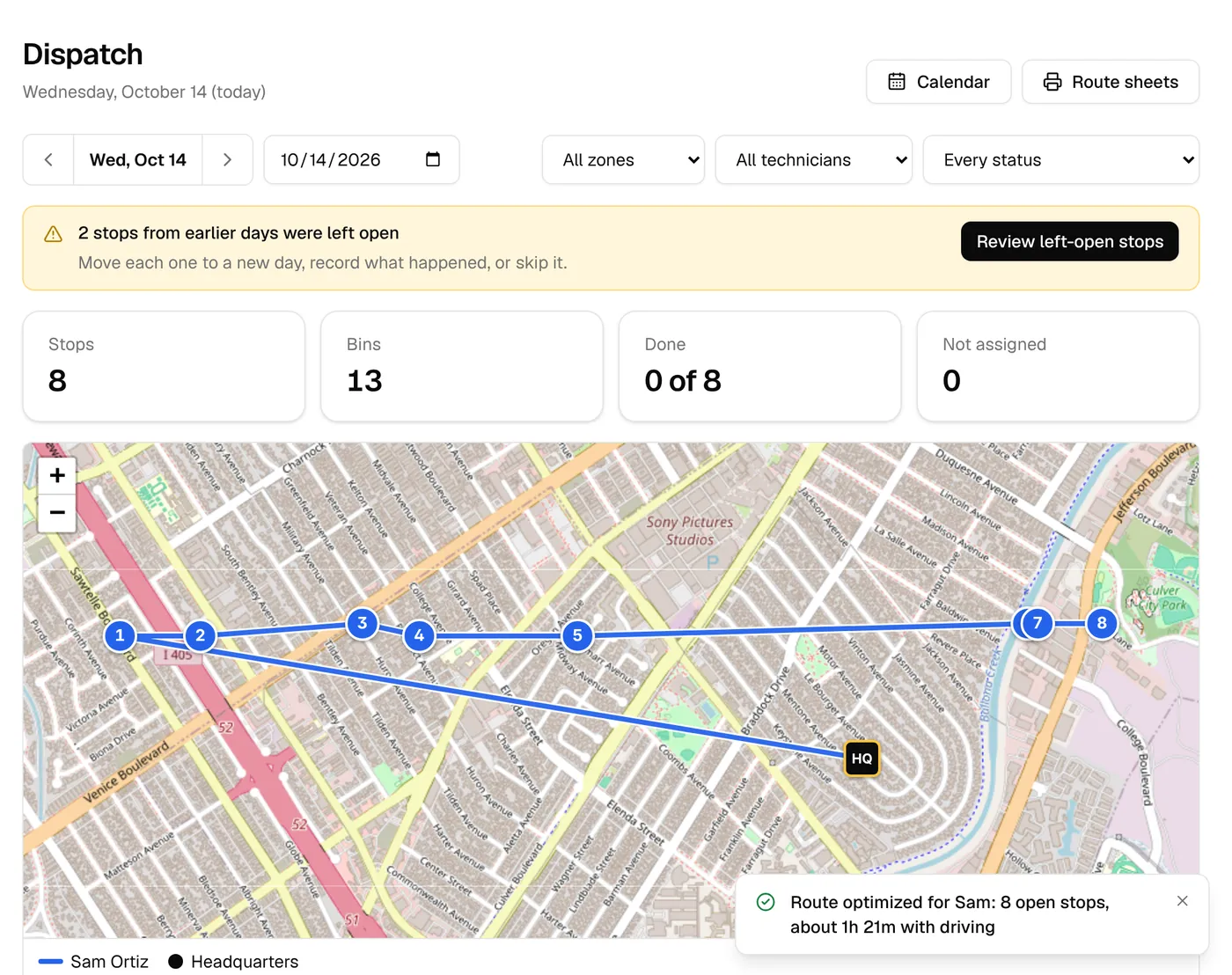
Dispatch shows every technician’s route for the day: the stops in order, the drive, the bins and how full the day is. Assign, reorder, move or skip with a few clicks, then print the route sheet if you like paper.
The day at a glance
Each technician’s route is a colored line on the map, with numbered stops starting from your yard. Beside it: stops, bins, drive time and distance, time at stops, and when they clocked in.
- Filter by zone, technician or what’s still to do
- Stops, bins and done-so-far at the top
- Drive time, distance and time on site for each route
- Clock-in and clock-out times next to each name
Put the stops in order
One click orders a route to cut the driving, starting from the stop farthest from your yard or the nearest, your choice. Nudge any stop up or down, hand unassigned stops to whoever has room, or move a group of stops to another day.
- Order the route from the farthest stop or the nearest
- Move any stop up or down by hand
- Auto-assign gives open stops to the least busy technician
- Move or skip many stops at once; moved customers are told
Route health before the day starts
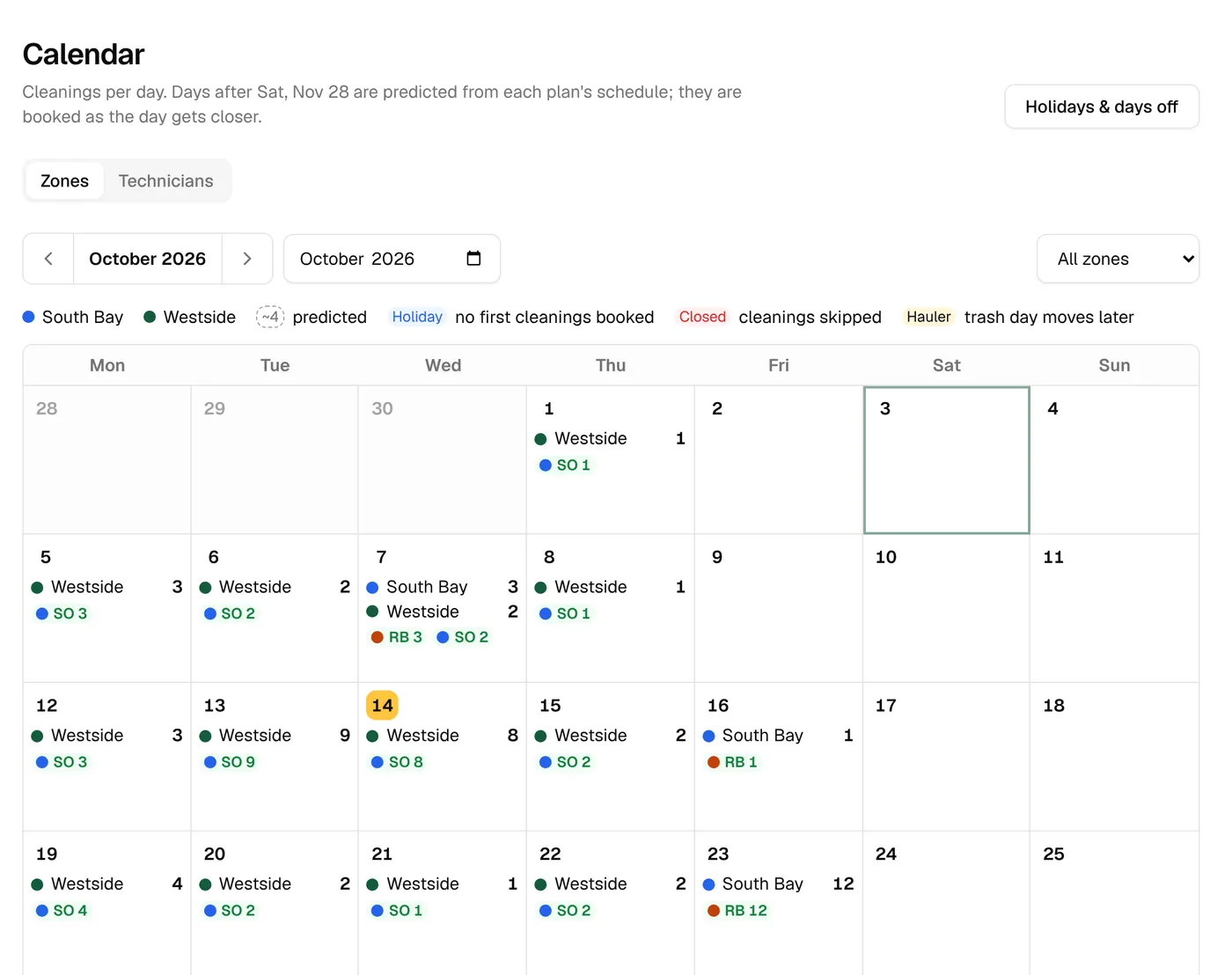
Every route is marked Good, Busy or Too much from its stops and hours, so you can see an overloaded day on the calendar before it happens. The thresholds and minutes per stop are yours to set.
- Busy at 20 stops or 5 hours, too much at 24 or 8
- 7 minutes for the first bin and 2 for each extra, to start
- The calendar colors each technician’s days by health
Nothing slips through
A stop nobody closed out shows up the next day with buttons to move it, mark it done, mark it not done or skip it. The owner gets a morning email listing every open stop.
- Open stops from earlier days in their own view
- Mark done sends the customer their done message
- A morning email to the owner with the list
Route sheets on paper
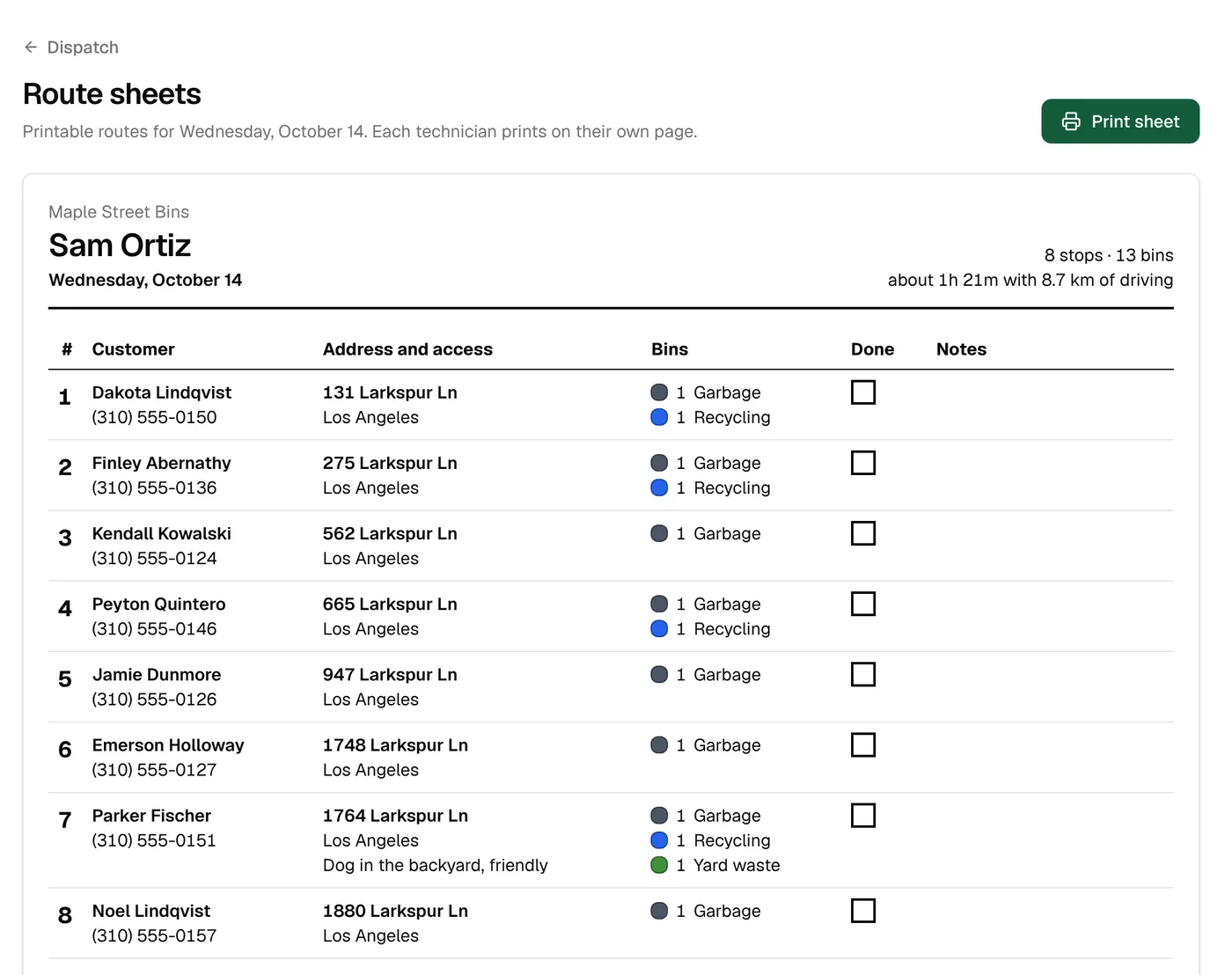
Print one page per technician with each customer, phone number, address, gate code, notes and colored bins, plus a box to tick and room for notes.
- One page per technician, in route order
- Gate codes and access notes on every stop
- Colored bins so the right ones get cleaned
Your trucks
Keep each truck’s plate, VIN, mileage, registration and insurance in one place, with a warning 30 days before something expires.
- Registration and insurance expiry warnings
- Purchase and current mileage
Routes & dispatch
The details
- Route order
- From the farthest stop or the nearest, then by hand
- Assigning
- By zone, by route group, by hand or auto-assign
- Route health
- Busy: 20 stops or 5 h. Too much: 24 stops or 8 h. Adjustable.
- Minutes per stop
- 7 for the first bin, 2 per extra, adjustable
- Route sheets
- Printable, one page per technician
- Open stops
- Listed the next day, emailed to the owner
Drive times are estimates from distance and an average speed you set. Turn-by-turn directions open in Google Maps.
Keep exploring
Try it with your own prices and routes.
3 days free with every feature, and nothing is charged until the trial ends. Everything begins in test mode, so nothing reaches your customers until you’re ready.