A sign-up page that takes the card before the first cleaning
Neighbors check their address, pick a plan, add their bins and trash day, and pay. The first cleaning lands on their trash day before they close the tab, and you never type a thing.
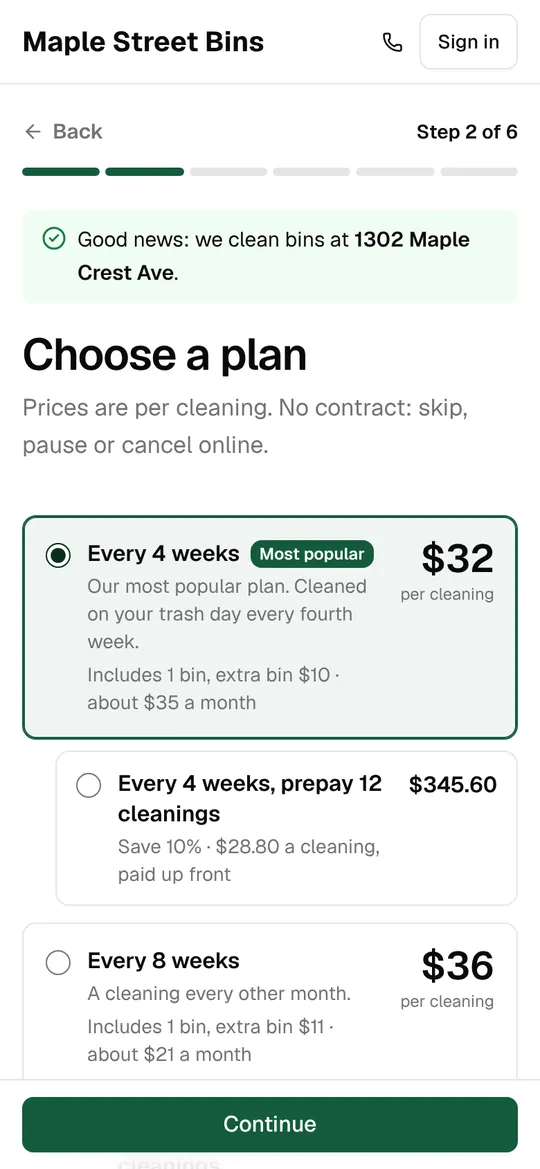
It starts with the address
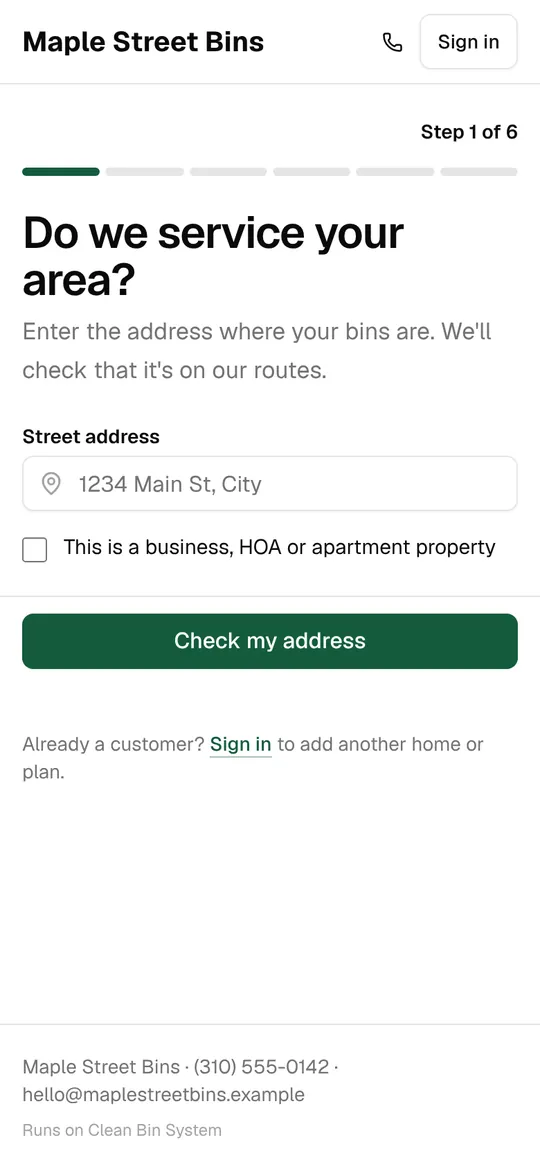
The first question is the one customers ask anyway: do you come to my street? The answer comes from the service area you draw on a map, so nobody books a home you don’t serve.
- Address suggestions as they type, with a house number required
- Inside your area: straight on to your plans
- Outside it: they leave their name and number, and you get a lead to call when you expand
- A checkbox for businesses, HOAs and apartment properties
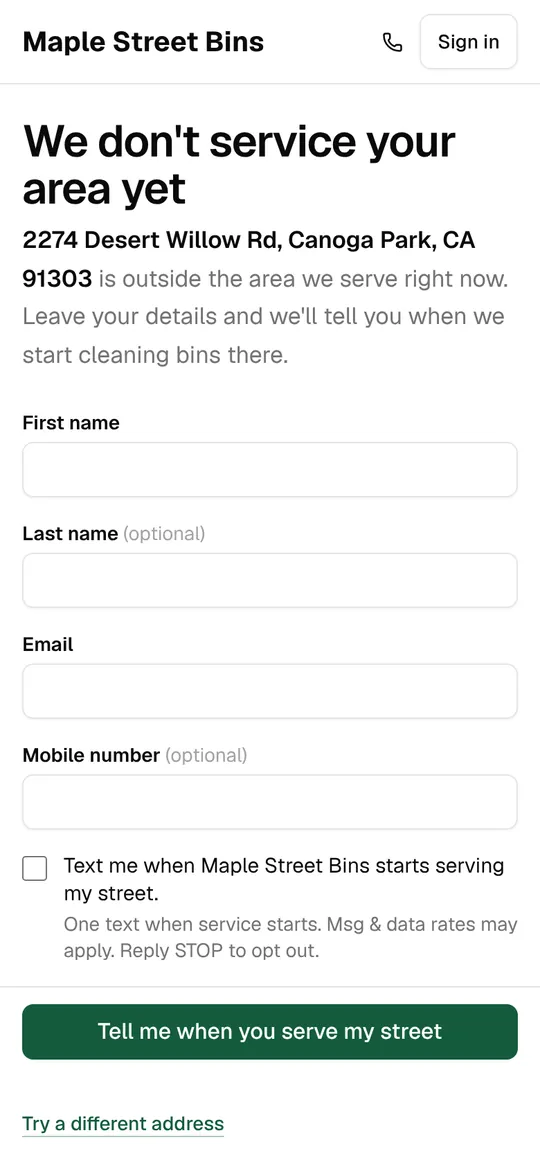
Your plans, the way you sell them
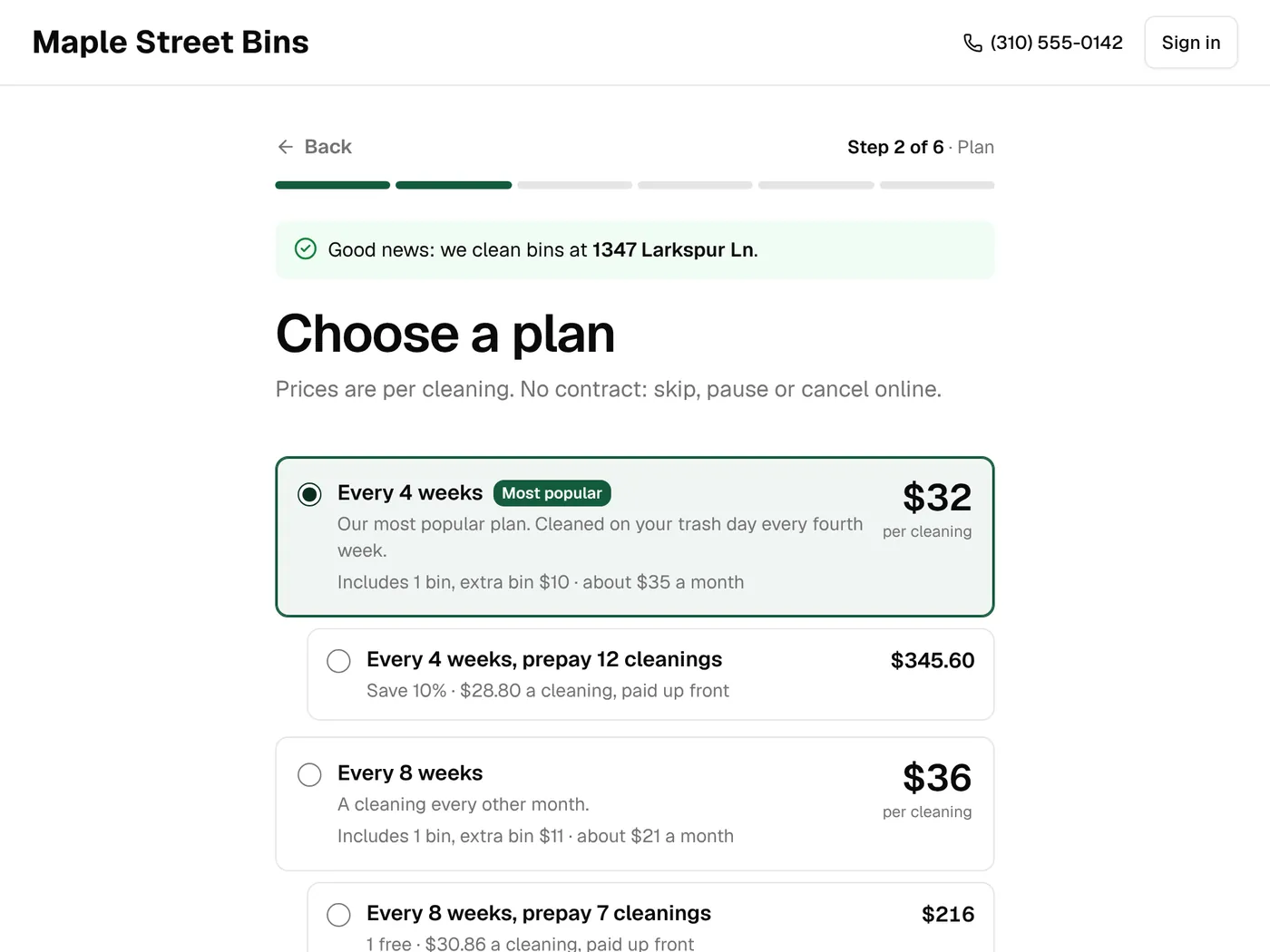
Each plan shows the price per cleaning, what it comes to a month, how many bins are included and what an extra bin costs. Mark one as your most popular, and prepaid bundles and one-time cleanings show up beside the plans.
- Price per cleaning and “about $X a month”
- Bins included, extra bin and extra trash day prices
- A badge on the plan you want picked, worded your way
- Prepaid bundles as options under a plan
- One-time cleanings listed under “Just once”
- Contract length shown when a plan has one
Bins and trash day, priced live
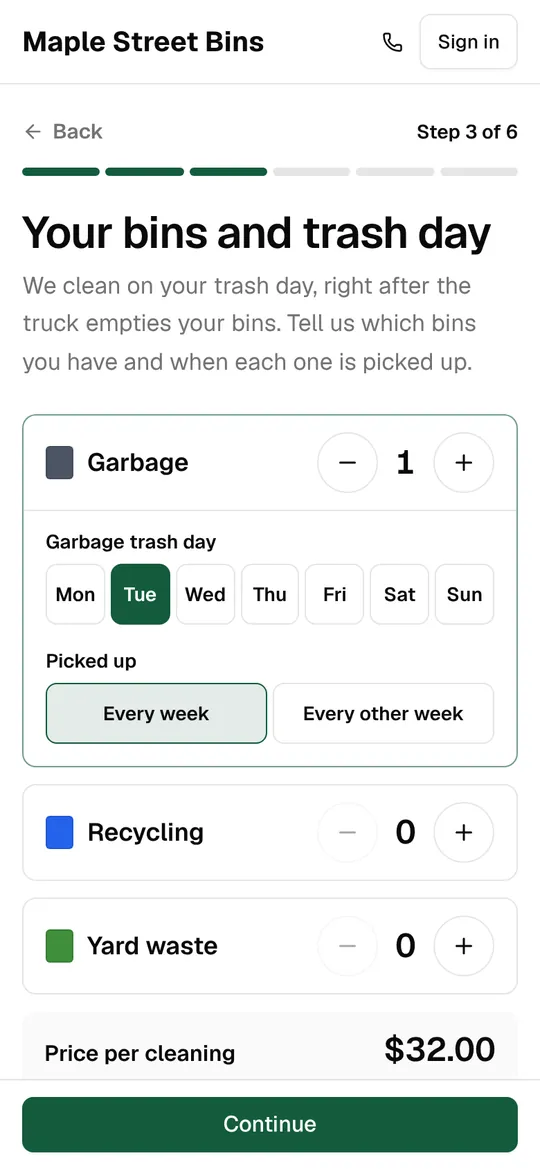
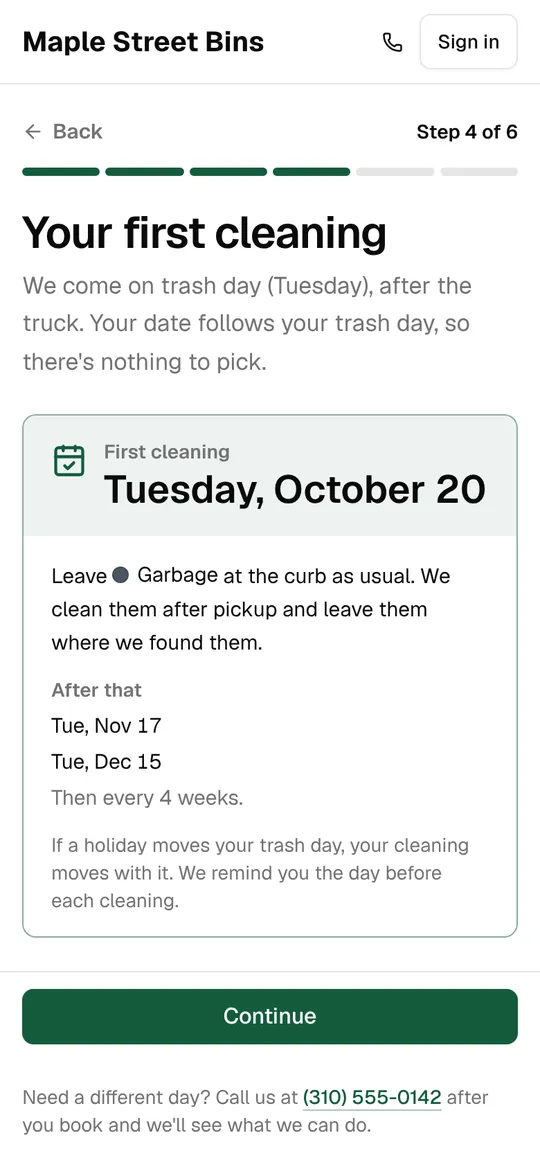
Customers add each kind of bin they have and the day it goes out. The price updates as they go, and the first cleaning date follows from their trash day. They never pick a date that doesn’t fit your route.
- Up to 20 of each bin type, each with its own trash day
- Weekly or every-other-week pickup
- The first cleaning and the next two, shown before they pay
- Or a note that you’ll be in touch with the first date, for areas you book by hand
Details, consent and the card
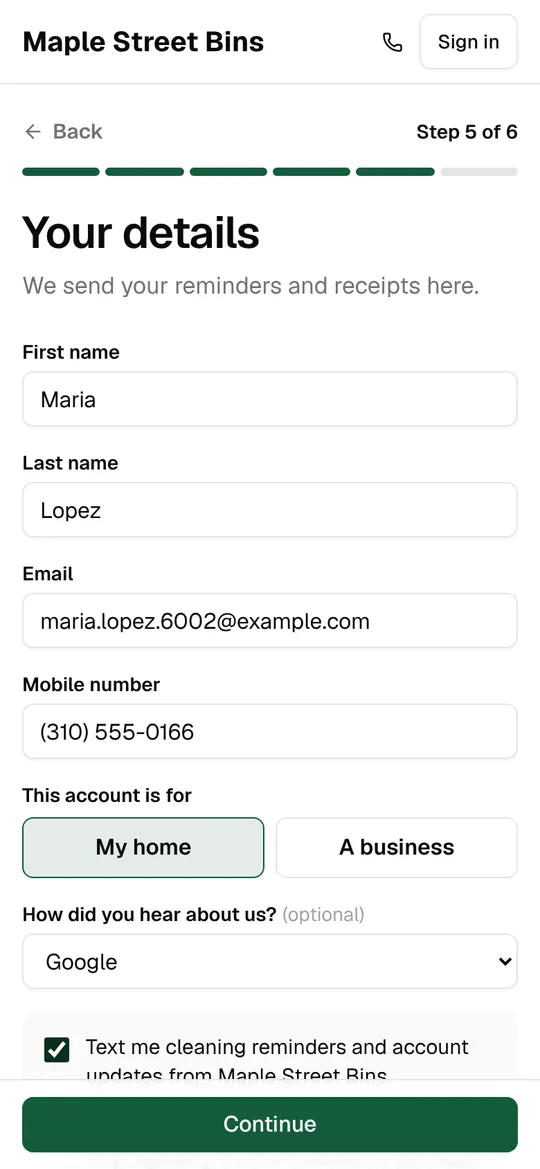
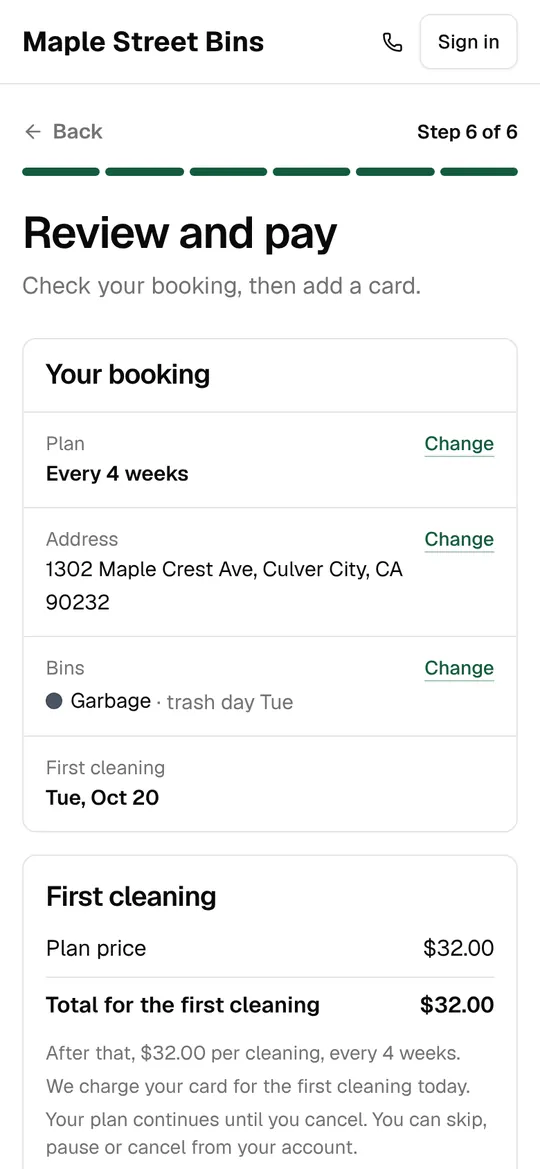
The details step collects what you need to reach them and records their permission to text. The payment step shows the order one last time, takes the card, and puts the first cleaning on your calendar.
- Name, email and mobile, home or business
- “How did you hear about us?” with your own answers
- A text opt-in with the consent wording carriers look for, and a separate one for offers
- One box for a coupon, gift card or referral code (the biggest discount applies)
- Apple Pay and Google Pay once your Stripe account is connected
- An optional “book now, pay after the cleaning” button
After they book
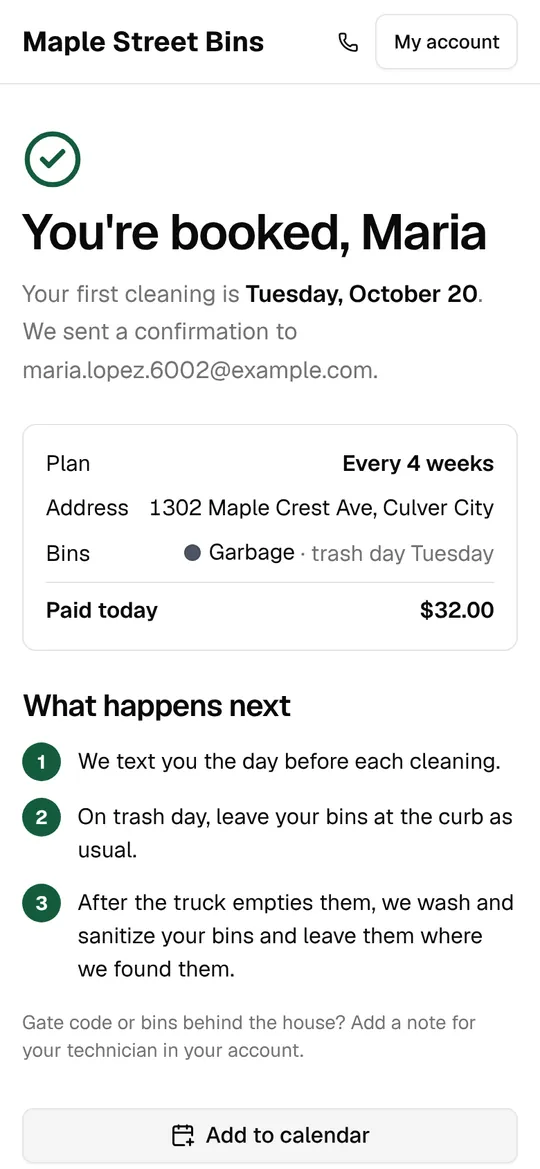
The confirmation page shows their cleaning dates with a button to add them to their calendar. A welcome text and email go out, you get an email about the new customer, and your ad accounts get the conversion with its value.
- Dates on screen and as a calendar file
- Your own thank-you page, if you have one
- Google Ads and Meta conversions, sent once, with the amount
- A declined card keeps the booking as pending, so you can follow up
People who stop halfway
Once someone has given their phone or email, a half-finished sign-up is saved. They get a link back to the step they left, and you see them in Leads with how far they got.
- Follow-ups 20 minutes, 24 hours and 72 hours later
- Emails always; texts only to people who opted in
- The link puts their address, plan and bins back where they were
- Unpaid online sign-ups are cleared away after 3 days
Links and tracking for your marketing
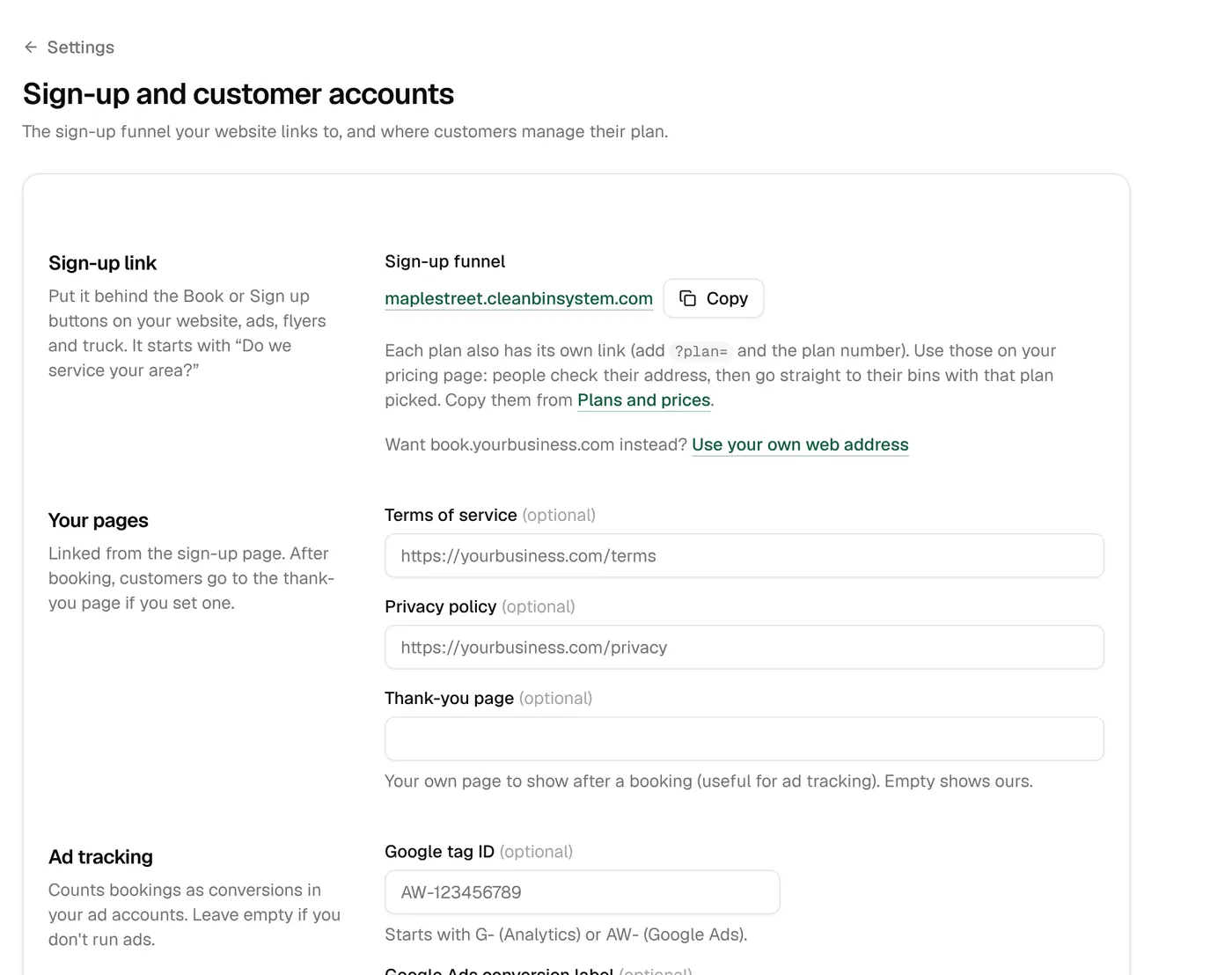
Every plan has its own link for your website, ads and flyers, and the sign-up page records where each customer came from. You see it in reports, on each customer, and in your ad accounts.
- Plan links skip straight to the address check with the plan picked
- Coupon links fill in the code for them
- UTM tags, Google and Facebook click IDs, landing page and referrer are kept with the customer
- Your Google tag, Google Ads conversion label and Meta pixel, added in Settings
Your name on it
The sign-up page carries your logo, colors and phone number, and calls the bins whatever you call them. It runs on its own web address from day one, and can move to one of yours.
- Your logo, icon and two brand colors
- Bins, cans, carts, totes or containers
- Your own domain, like book.yourbusiness.com
- Links to your terms and privacy pages
- Works on any phone or computer, with no app to download
Sign-up page
The details
- Steps
- Address, plan, bins, first cleaning, details, payment
- Bins per type
- Up to 20, each with its own trash day
- Pickup
- Every week or every other week
- Discounts
- Coupon, gift card or referral code in one box; the biggest applies
- Unfinished sign-ups
- Follow-ups at 20 min, 24 h and 72 h
- Ad tracking
- Google tag, Google Ads conversion, Meta pixel, UTM tags
- How they heard
- Your own answers, up to 20 (starts with 8)
- Web address
- Its own address, or your domain
Conversions are sent from the customer’s browser, so ad blockers can hide some of them.
Keep exploring
Try it with your own prices and routes.
3 days free with every feature, and nothing is charged until the trial ends. Everything begins in test mode, so nothing reaches your customers until you’re ready.