The whole business on one screen each morning
A dashboard for today, a customer list that finds anyone in seconds, reports you can export, and a team where everyone sees what they need. It’s what replaces the wall calendar.
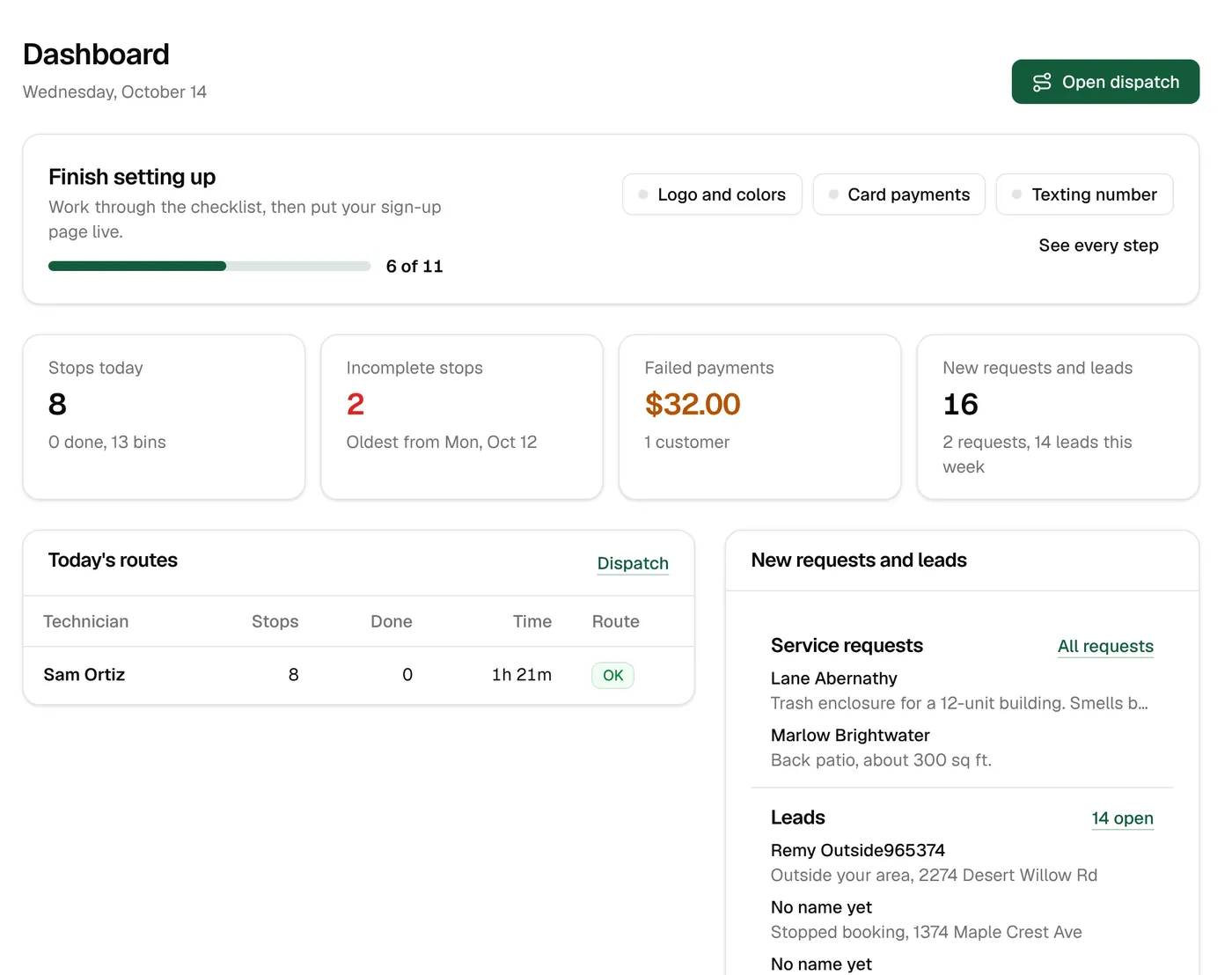
The morning dashboard
Stops today, anything left open, failed payments and new requests up top. Below: today’s routes, money this month against last month, new customers against cancellations, and what’s due to be charged in the next 30 days.
- Money collected this month vs. the same days last month
- New customers and cancellations, with the top reasons
- The next 30 days: to charge, already paid, prepaid
- A daily summary email with the day’s stops and charges
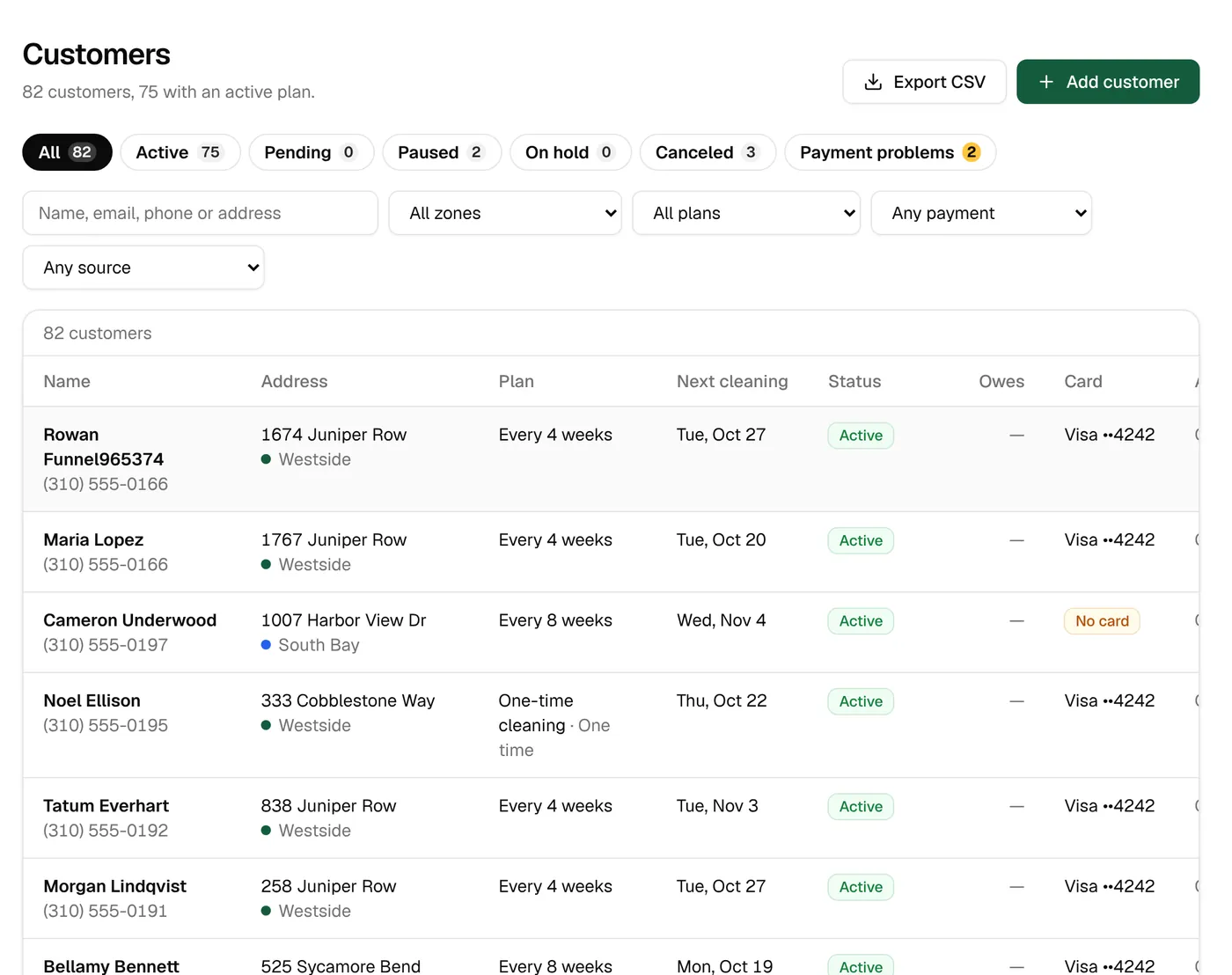
Every customer, in seconds
Search by name, business, email, address, phone or the ID from your old system. Filter by zone, plan, payment problems, tags or where they came from, and export the list.
- Filters for active, paused, on hold, canceled and payment problems
- Tags, sources and imports as filters
- Export to a spreadsheet with 23 columns
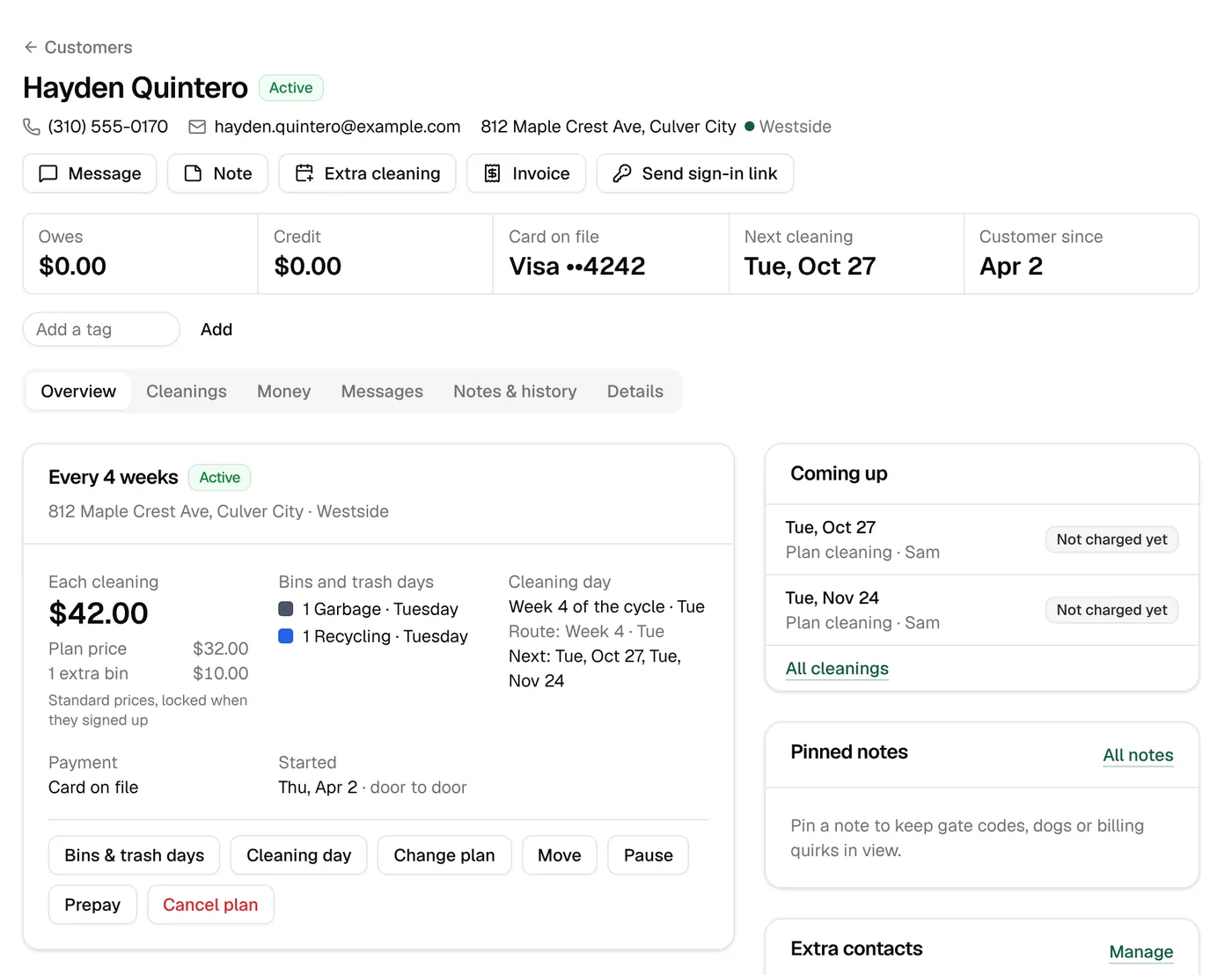
Everything about one customer
One page has the plan, bins and trash days, every cleaning, every payment, every message and every note. Send a text, book an extra cleaning, refund a charge or move them to a new address from there.
- Pinned notes the technician sees too
- Book extra or emergency cleanings, free or charged
- Pause, prepay, change plan, cancel or restart
- A history of every change and who made it
Requests, quotes and estimates
Service requests from your sign-up page land in one list. Book an estimate visit or the job itself onto a route, send a quote, and follow it to paid.
- New, quoted, scheduled, completed
- Estimate visits on the route
- Quotes and invoices from the request
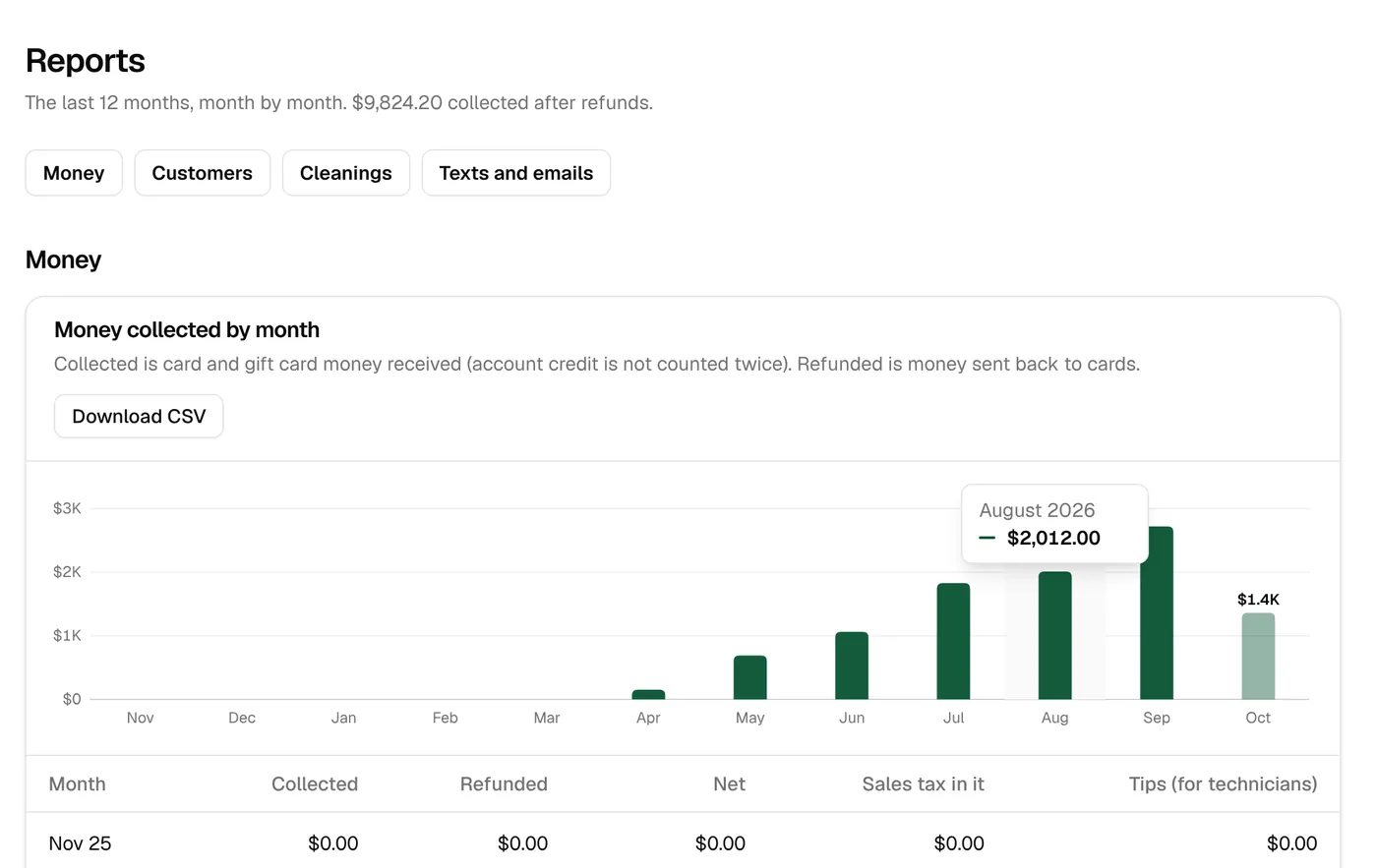
Reports
Eleven reports cover money, customers and the work, each for the last 12 months and each exportable.
- Money collected, with tax and tips
- Average revenue per customer and prepaid sold
- Customers over time, churn and cancel reasons
- How they heard, and sign-ups by ad
- Cleanings by technician and zone, missed and partial cleanings
- Texts and emails sent, with their cost
Your team
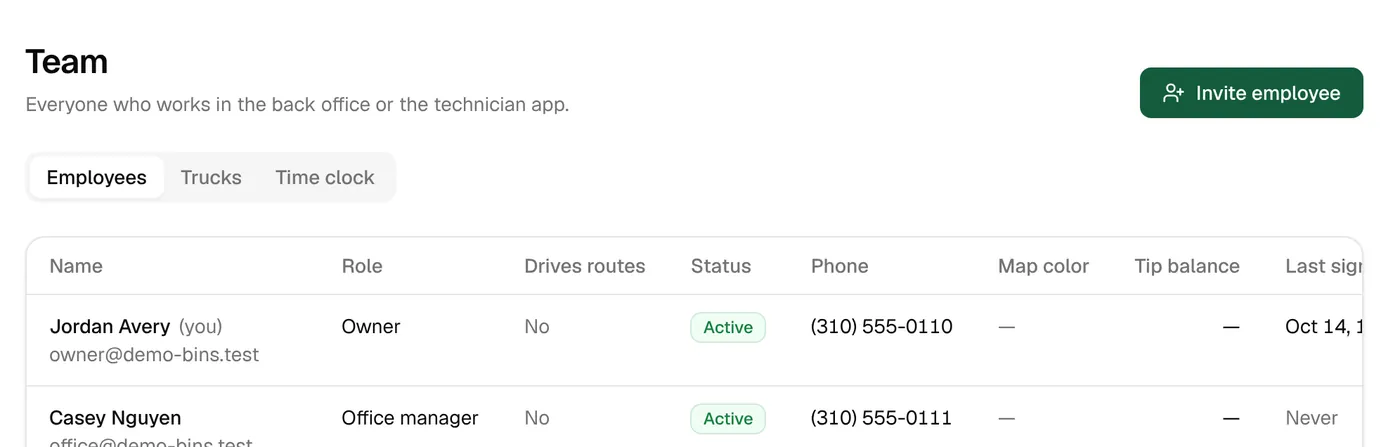
Invite people by email and text. Owners and office managers get the back office; technicians and sales reps get the driver app. Owners and managers can drive routes too.
- Owner, office manager, technician and sales rep
- A time clock with hours and stops by day
- Turn someone off and their sign-ins end
Set up in an afternoon, test before it’s real
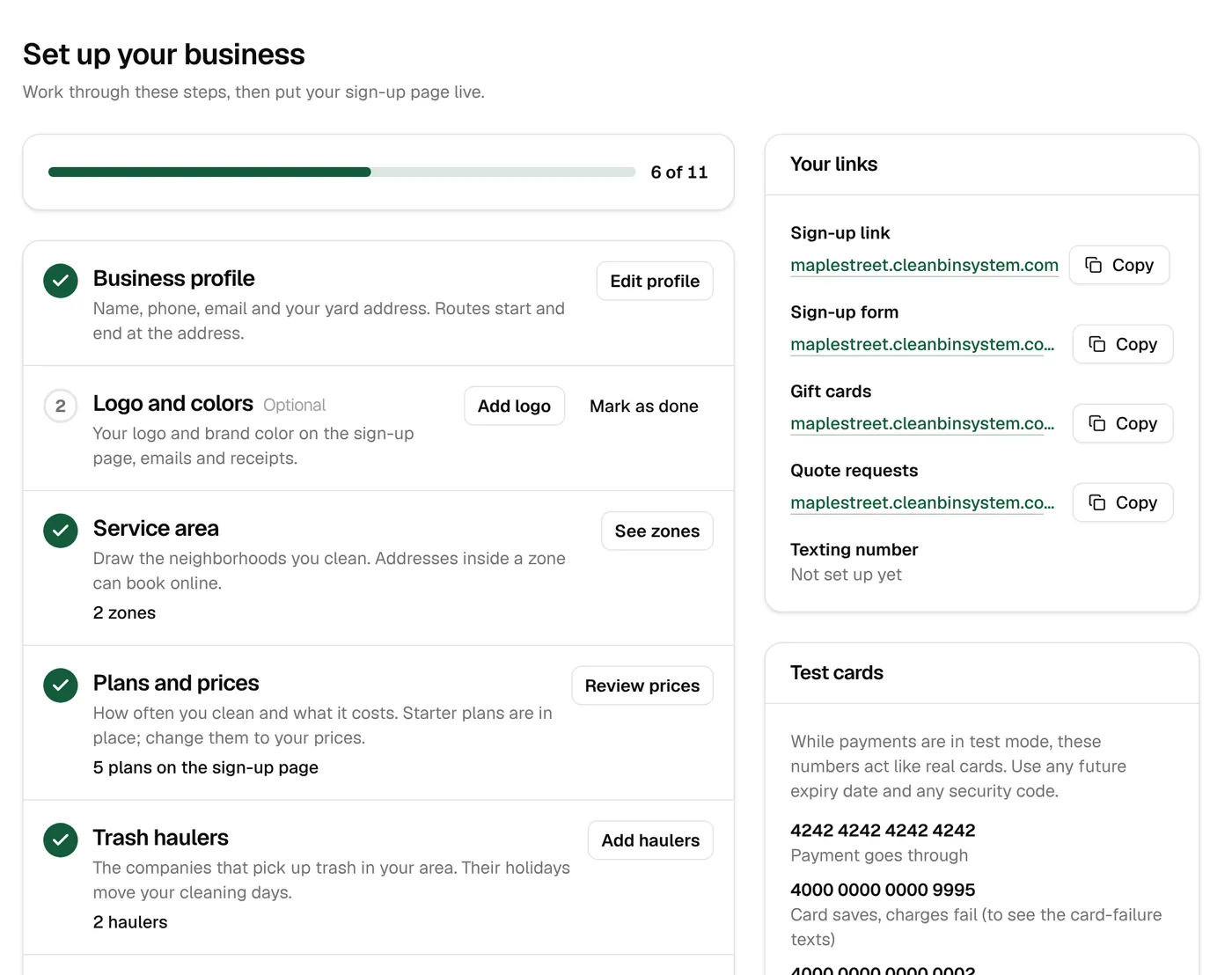
A checklist walks you through your area, prices, Stripe, texting and a test booking. Until you connect Stripe and your number is approved, cards go through a test processor and texts are saved instead of sent.
- A step-by-step setup checklist
- Test cards that act like real ones
- Sample plans and prices to start from
Back office & reports
The details
- Reports
- 11, for the last 12 months, with spreadsheet export
- Customer export
- 23 columns
- Roles
- Owner, office manager, technician, sales rep
- Daily email
- Stops, bins, money charged overnight, failed charges, new customers
- Time clock
- Hours and stops by day, exported for payroll
- Test mode
- Test cards and saved texts until you’re set up
Keep exploring
Try it with your own prices and routes.
3 days free with every feature, and nothing is charged until the trial ends. Everything begins in test mode, so nothing reaches your customers until you’re ready.