Routes all over town
Neighbors on the same day
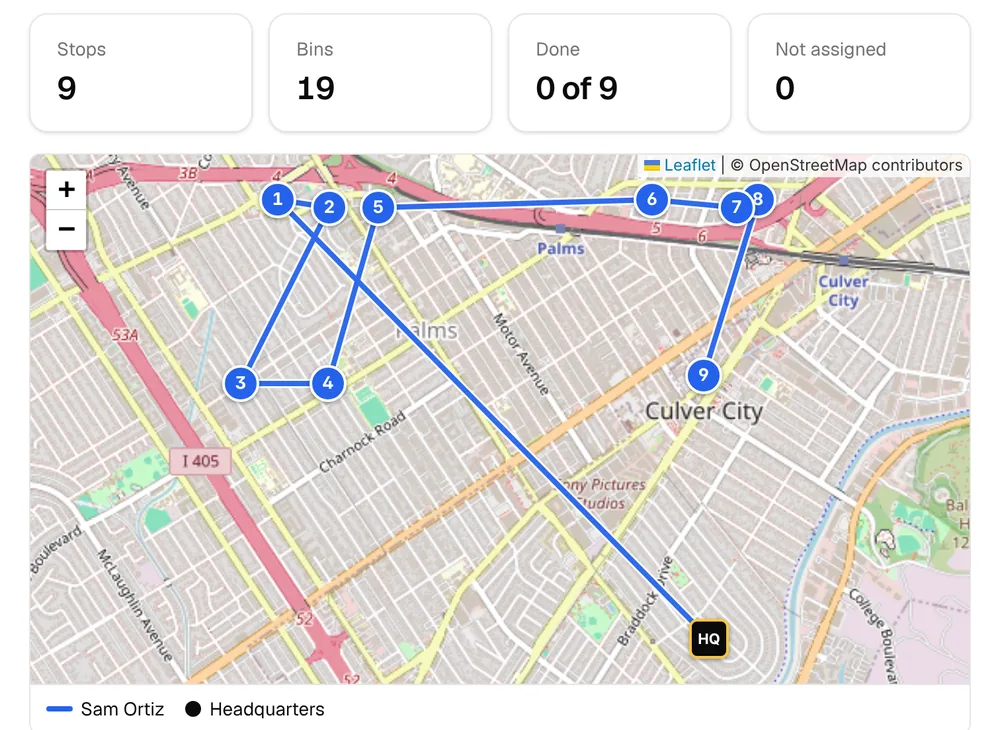
Cleanings land on trash day in a four-week cycle, so the same streets come up together instead of one stop across town.
For trash bin cleaning businesses
Customers sign up on your own page, each cleaning lands on the day their trash goes out, cards are charged on your schedule, and everyone gets a reminder the day before. It’s made for bin cleaning and nothing else.
Built for how bin cleaning works
Bin cleaning runs on trash day, by the bin, on repeat. Here’s where the system takes the work off your plate.
Routes all over town
Cleanings land on trash day in a four-week cycle, so the same streets come up together instead of one stop across town.
“Keep me in mind”
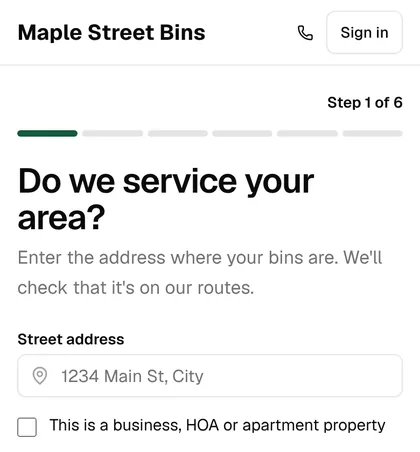
Your sign-up page checks the address, shows your prices, takes the card and books the first cleaning on their trash day.
Bins left in the garage
A text the day before says which bins to leave at the curb after the truck comes, at the hour you choose.
Chasing declined cards
Declined cards are retried on a schedule, and each try sends a one-tap link to update the card.
Cancellations in winter
Customers skip, move or pause from their account, and one-time customers get invited back on their own.
The second truck
Route groups, auto-assign, route health, a driver app and roles for office managers and sales reps.
What you get
Both run on one schedule, so what a customer books is what lands on your route.
Your name and colors, on its own web address or your own domain
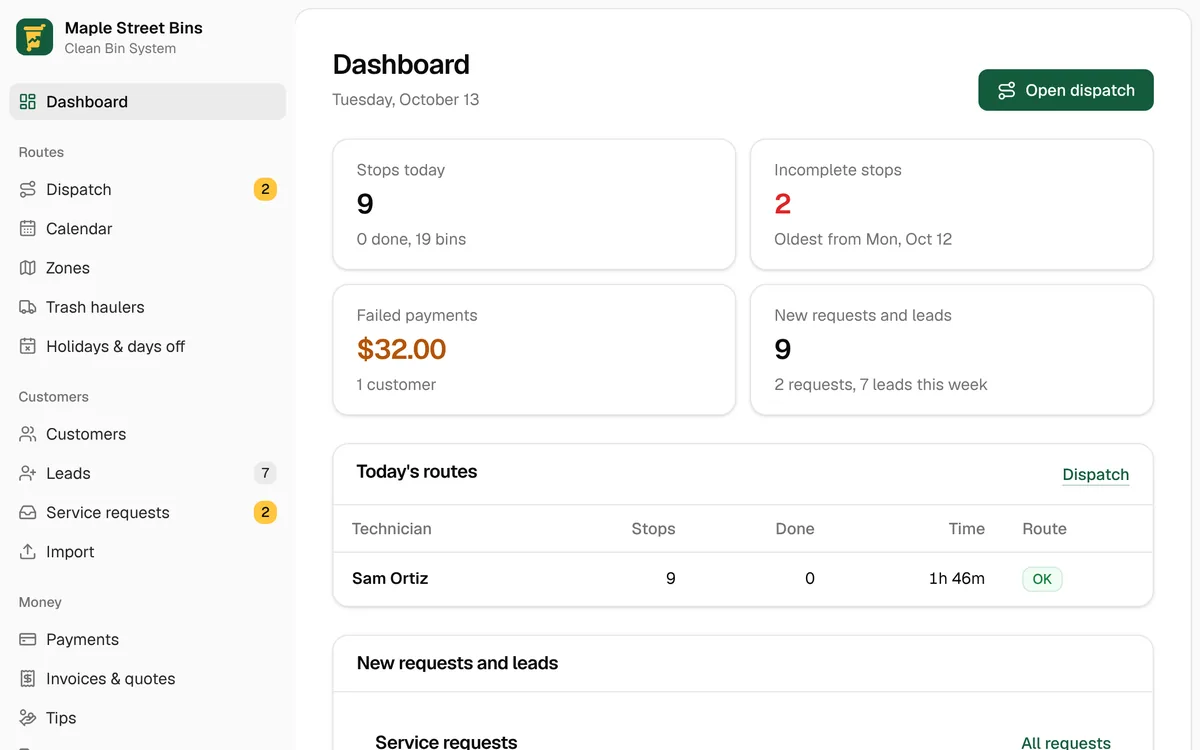
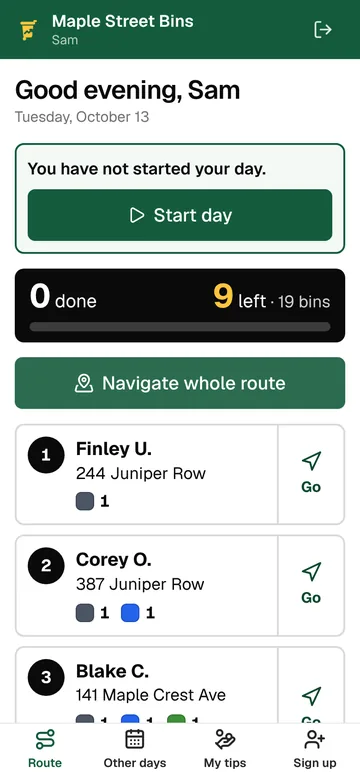
On any computer, and on your technicians’ phones
How it works
Here’s what happens for every customer, every cycle, without anyone chasing it.
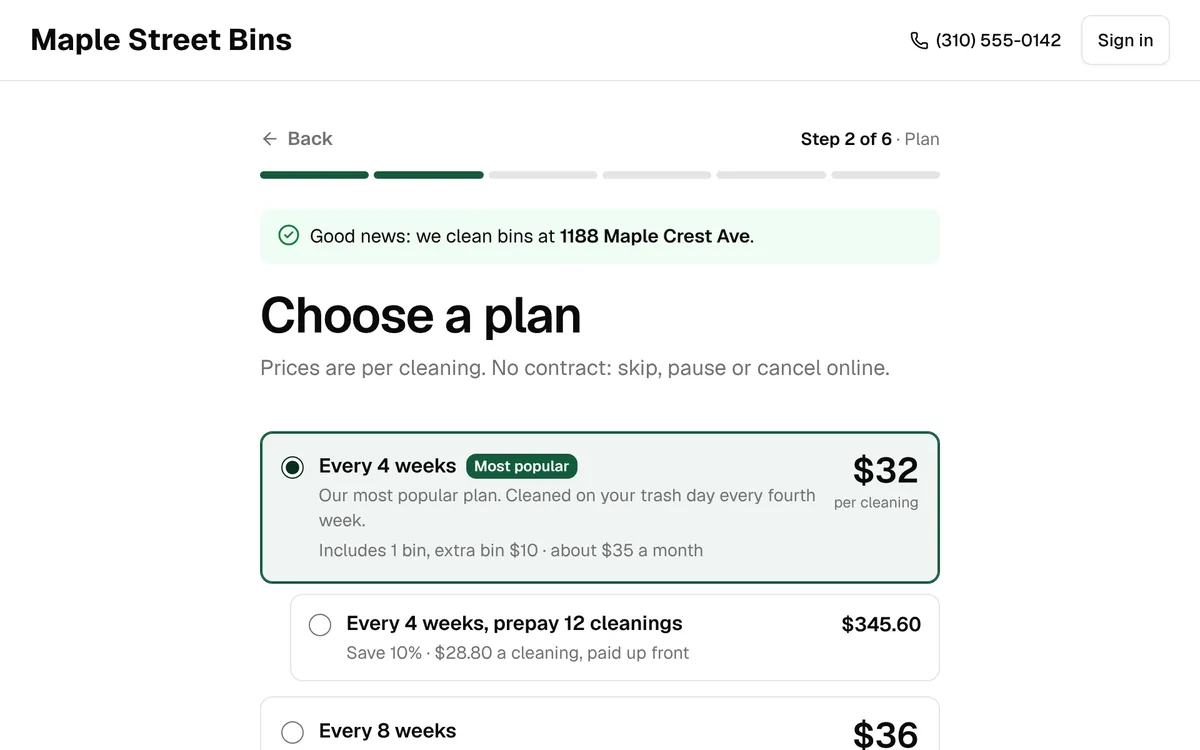
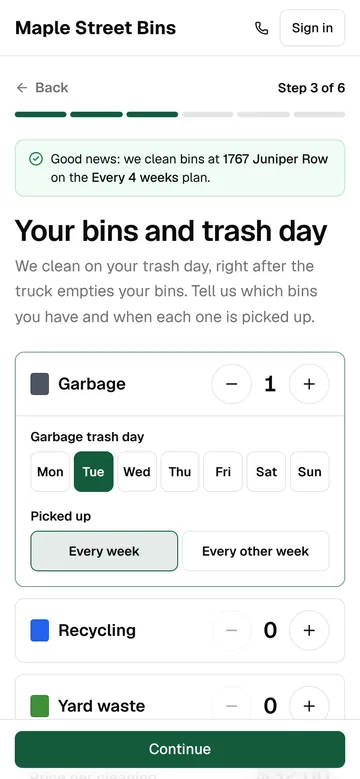
Your sign-up page checks the address, shows your plans and prices, takes their card and puts the first cleaning on their trash day.
Before or after each cleaning, on the schedule you choose. A failed card is tried again and the customer gets a link to update it.
The day before, a text and an email say which bins to leave at the curb after the truck comes.
The stop is on your technician’s phone, in route order. When the bins are clean, the customer gets a text, with a tip link if you take tips.
Then it repeats. Every 4, 8 or 12 weeks on the same trash day. When a trash hauler has a holiday, the cleanings on its route move with the pickup.
The real default texts, filled in for a made-up business.
Texts on autopilot
A toll-free number registered to your business. When customers reply, it comes to you.
At the hour you pick, with the bins to leave out. Nothing goes out during quiet hours.
Your technician taps once and the customer gets a text. The done text can carry a tip link.
A failed charge is retried on your schedule, and the customer gets a link to update the card.
All 59 texts and emails can be reworded, and most can be switched off.
Consent is recorded at sign-up, and STOP replies are honored on their own.
Claude, ChatGPT and MCP
Clean Bin System connects to Claude, ChatGPT and any AI assistant that supports MCP, the open standard assistants use to work with other software. Ask about routes, customers and payments in plain words, and make changes without opening the back office.
Who’s on tomorrow’s route, who has a failed card, which leads haven’t booked. It reads your back office, so the answers are about your business.
Skip, move or restore a cleaning, pause a plan for a vacation, add a gate code to the notes or a holiday to the calendar.
Texts, emails, refunds, credits, cancellations and price changes are shown to you first, and only go ahead when you say yes.
Each person connects with their own login and gets what their role allows. Every change shows in the history, like “Jordan via Claude.”
Who’s on tomorrow’s route?
Thursday has 31 stops. Sam has 18 in Culver City, and Jordan has 13 in Palms.
Two cards failed this week: Ana Ruiz ($32) and Lee Park ($64).
Skip the Hendersons this week. They’re on vacation.
Done. Dana Henderson’s cleaning on Thursday is skipped and won’t be charged. Her next one is November 13.
Rain is slowing us down. Text everyone on today’s route that we’re about an hour behind.
Here’s what would go out. Nothing is sent until you say yes.
Rain is slowing us down today, so we’re running about an hour behind. Thanks for your patience!
Send it?
Yes, send it.
Sent to 18 customers.
An example conversation, for a made-up business.
Features
Eleven areas, from the sign-up page to Claude and ChatGPT. See every feature, down to the retry schedule.
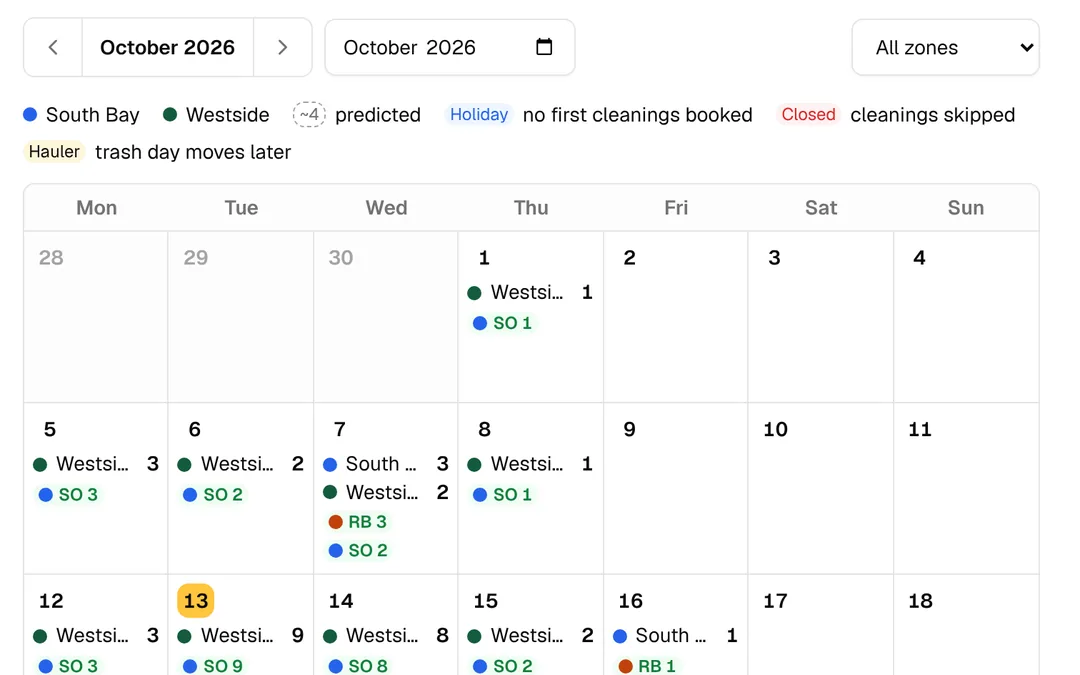
Draw your service area on a map. Customers are grouped by trash day into a four-week rotation, so the same streets come up on the same days, and the calendar shows which days are filling up.
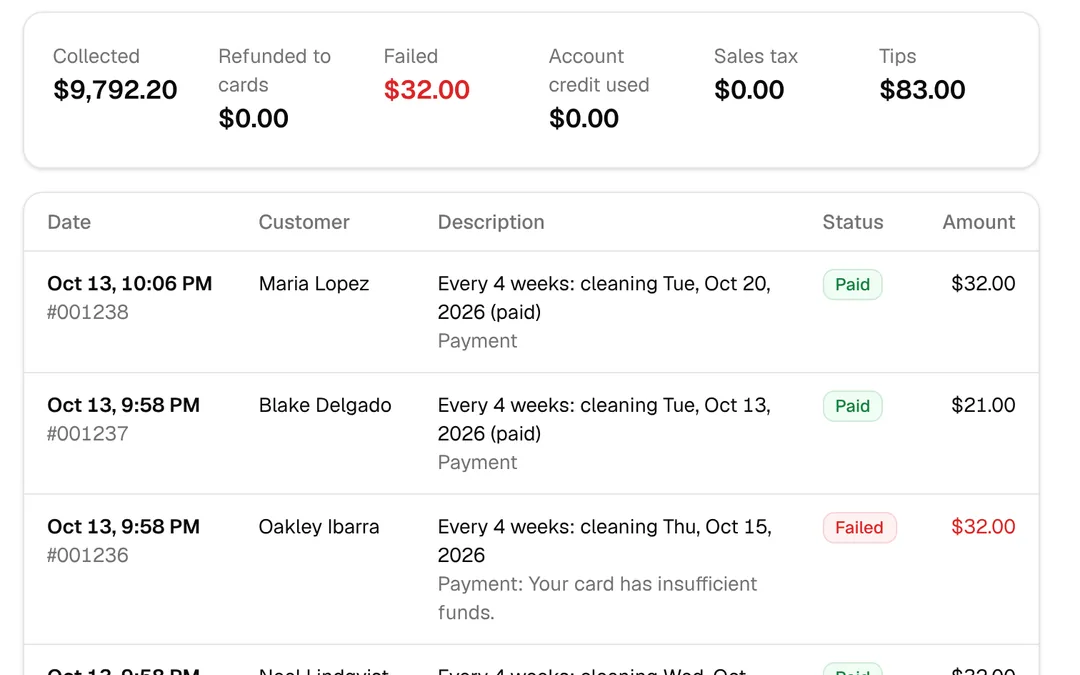
Charge before or after each cleaning, on a set day of the month, or by invoice. Prepaid bundles, coupons, gift cards and referral credit are built in.
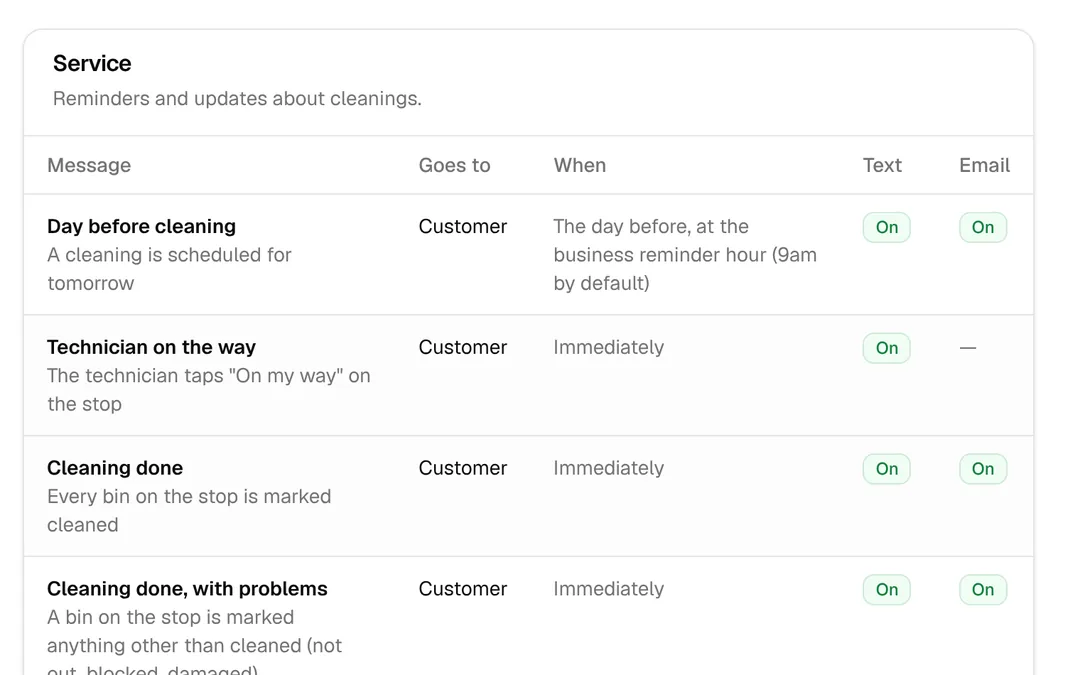
Every message the system sends is listed with when it goes out and who gets it. Change the wording, or switch off the ones you don’t need.
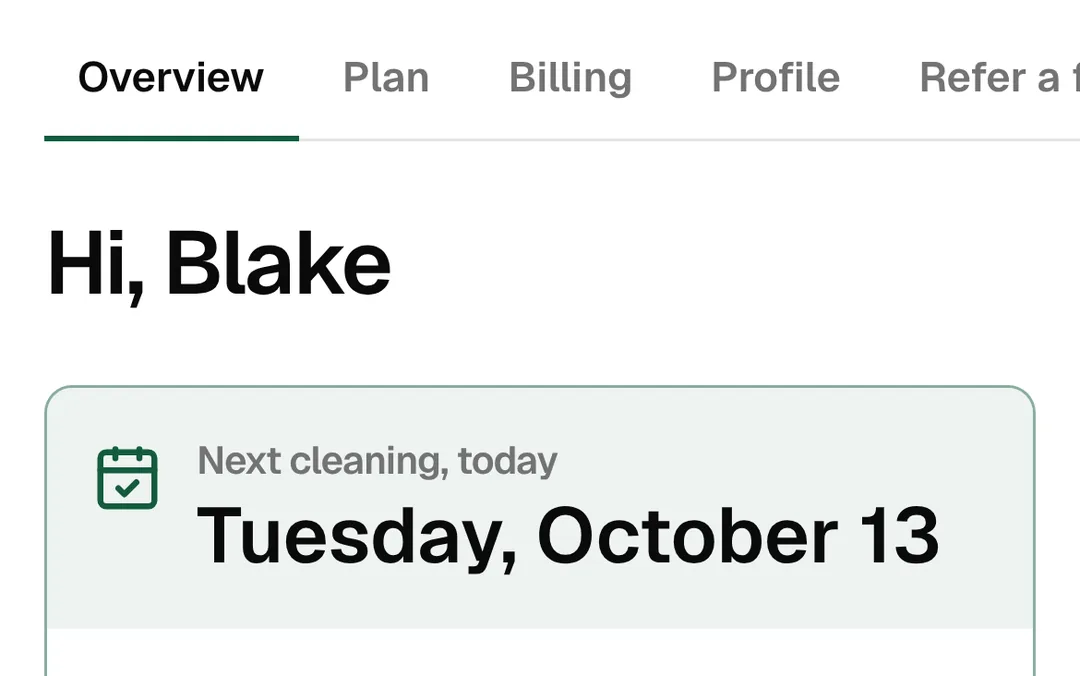
Customers see their next cleaning, skip or move one, pause, change their plan or bins, update their card and refer their neighbors.
Already have customers?
Import your list and everyone keeps their cleaning day. Nobody signs up again, and nothing is sent to them until you say go. Starting fresh? Skip this: customers sign up on your page.
The customer spreadsheet from Jobatory, or any spreadsheet saved as a CSV file.
Addresses, plans, bins, trash days and last cleaning dates come in. Any row that can’t be read is listed so you can fix it.
Each plan keeps its rhythm from the last cleaning. Customers without a saved card get a link to add one.
Connect the Stripe account Jobatory charged through and saved cards carry over. Run both side by side for one cycle, and turn off charging in Jobatory before you activate.
Pricing
Plans differ only by how many technicians run routes and how many texts are included each month.
3 days free, then month to month. See what’s included and estimate your texts
Questions
No. They sign up and manage their plan on your sign-up page, on any phone or computer. Your technicians use the driver app in their phone’s browser and can add it to their home screen.
To your own Stripe account. You connect it in Settings, and Stripe pays out to your bank on its usual schedule.
Yes. Every plan has its own link. It opens your sign-up page with that plan already picked, so people only check their address and add their bins.
They’re saved as a lead with their address. When you start serving their street, you can text them from Leads to say so.
Yes. Your sign-up page starts on its own cleanbinsystem.com address, and you can move it to one of yours, like book.yourbusiness.com.
You choose a plan and add a card when you sign up, and you get 3 days with every feature. Nothing is charged until the trial ends. Cancel from your plan page before then and you pay nothing; otherwise your plan’s first monthly payment is taken when it ends.
No. Plans are month to month, and every plan has every feature. Change or cancel from your plan page.
Email taylor@bincleanmarketing.com, or send a request from Help in your back office. A person answers every one, and the answer comes back to your email and your back office.
Texts go out from a toll-free number registered to your business with the carriers, which is what keeps them from being filtered. You fill in one form and the system handles the number and the paperwork. Approval takes a few business days; until then texts are saved, not sent.
Yes. Every new business starts in test mode: cards go through a test processor and texts are saved instead of sent, until you connect Stripe and your texting number is approved.
Yes. Clean Bin System works with Claude, ChatGPT and other AI assistants that support MCP. In Settings, under Claude and ChatGPT, copy your address, add it to your assistant and sign in. It can look things up and make small changes; texts, refunds and anything else that reaches customers or money wait for your yes. How it works
By message segment: a short text is one, a long one can be two or three. Each plan includes a number every month, and extra ones are 2¢ or 3¢ each.
Start your business
It takes about two minutes, and the first 3 days are free. You get a back office, a sign-up page and a checklist that walks you through the rest.
Draw the area you serve on a map
Set your plans and prices (sample ones are ready)
Connect Stripe so payments go to your bank
Get a texting number for reminders
Book a test cleaning, then go live