Everything a technician needs at the curb
Technicians open the day’s route on their phone: stops in order, gate codes, which bins to clean, one tap to text “on my way”, photos, and a result for every bin. Customers hear about it the moment a stop is finished.
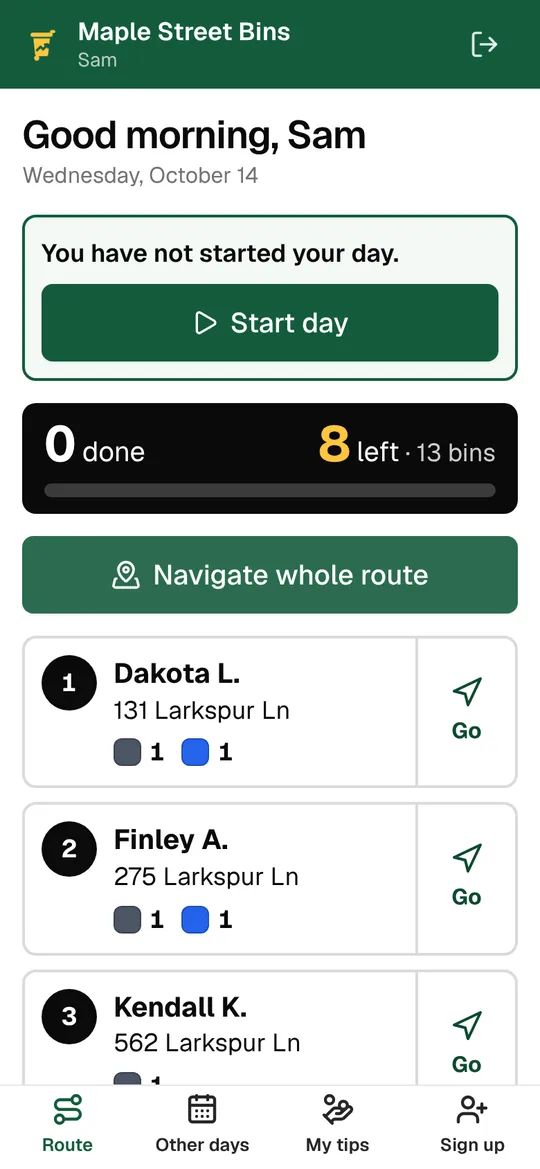
Today’s route
The day opens with the route in order, the time clock and how many stops and bins are left. One button sends the whole route to Google Maps.
- Start day, lunch, breaks and end day on the time clock
- Done, left and bins counted as the day goes
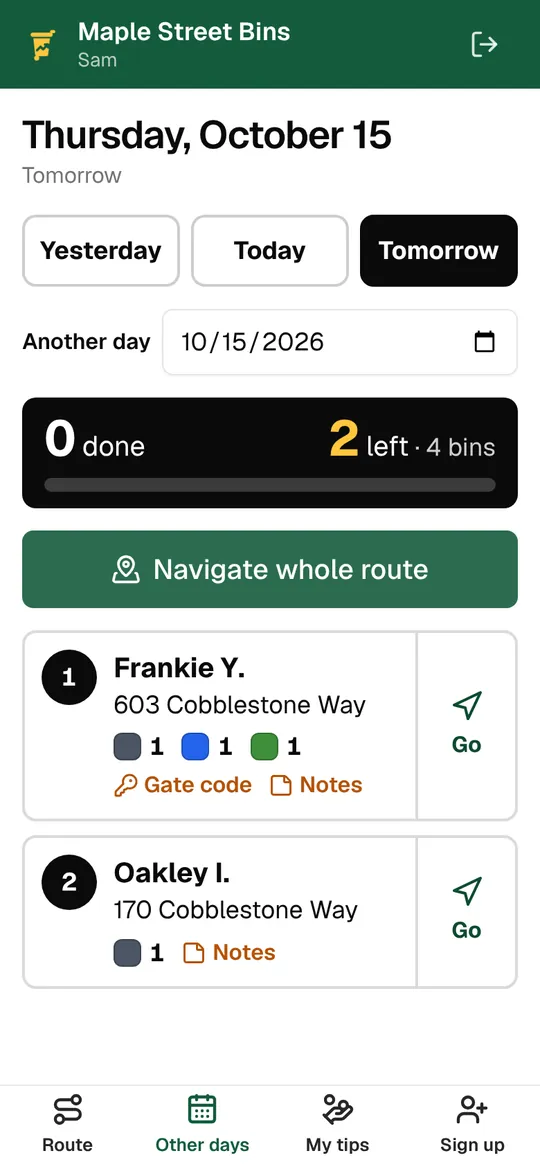
- Yesterday, tomorrow or any date from Other days
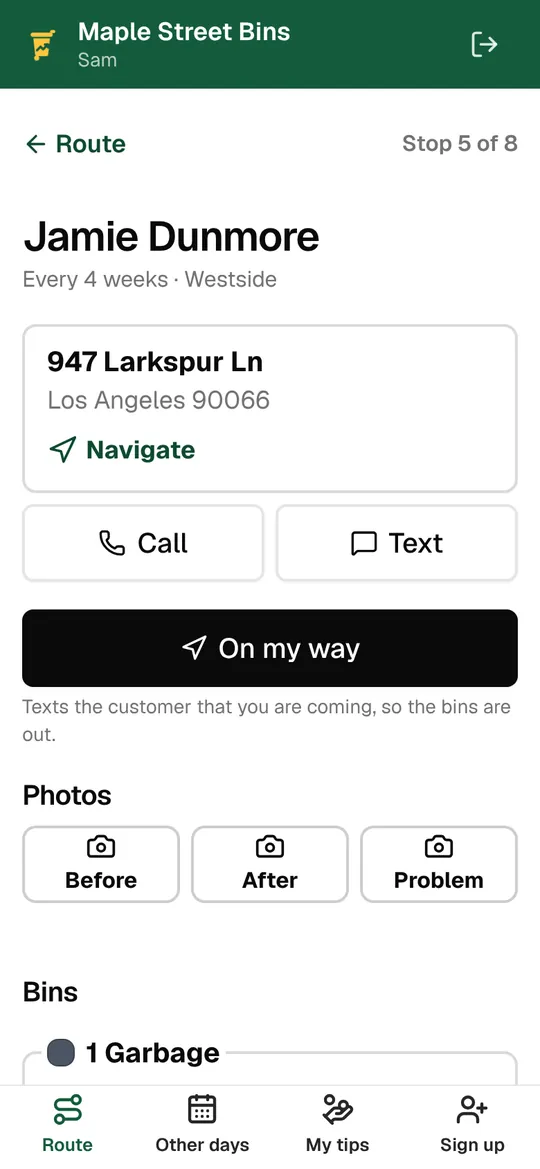
At each stop
Each stop has the address with directions, the customer’s phone, the gate code and notes from the office. Tap “On my way” and the customer gets a text. Mark each bin, add photos, finish, and the next stop opens.
- Navigate, call or text from the stop
- Gate code, access notes and pinned office notes
- Each bin marked Cleaned, Not out, Blocked or Damaged, with a note
- Before, after and problem photos from the phone’s camera
The customer hears right away
When every bin is clean, the customer gets a done text with your review link and a tip link if you take tips. If a bin wasn’t out or was blocked, the message says which, with the technician’s note.
- Done texts with review and tip links
- A different message when some bins weren’t done
- Photos show up in the customer’s account
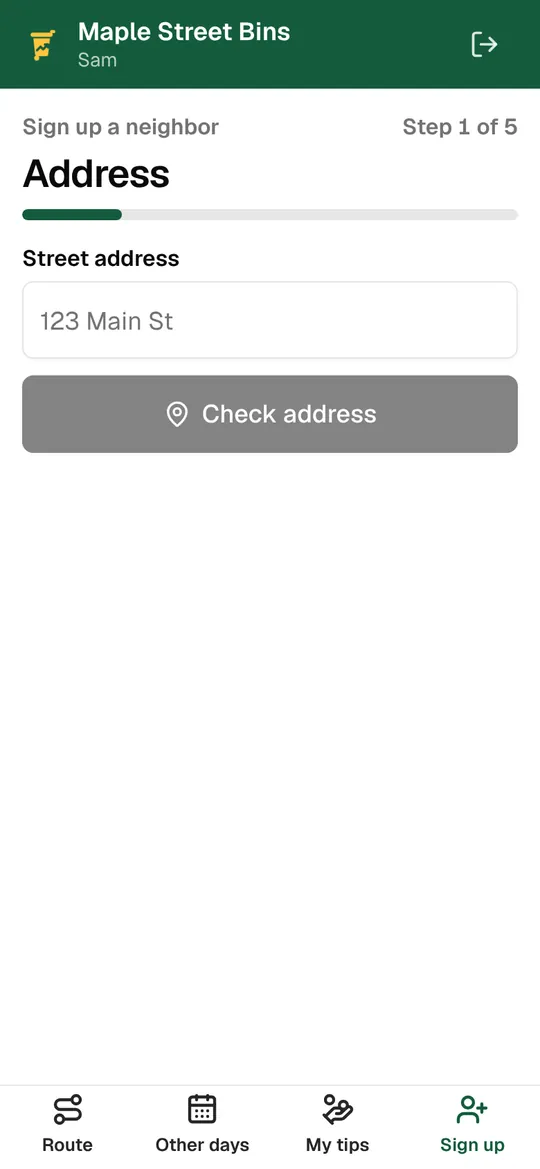
Sign up neighbors at the curb
When a neighbor walks over to ask, the technician can sign them up on the spot: address, plan, bins, contact details and card, in a few screens. Sales reps get just this, without the route.
- The full sign-up in a few screens, with office-only plans
- The card is saved and charged on your schedule
- Tagged “Door to door” so you can count them
- A sales rep role that only sees sign-ups
Tips go to the technician
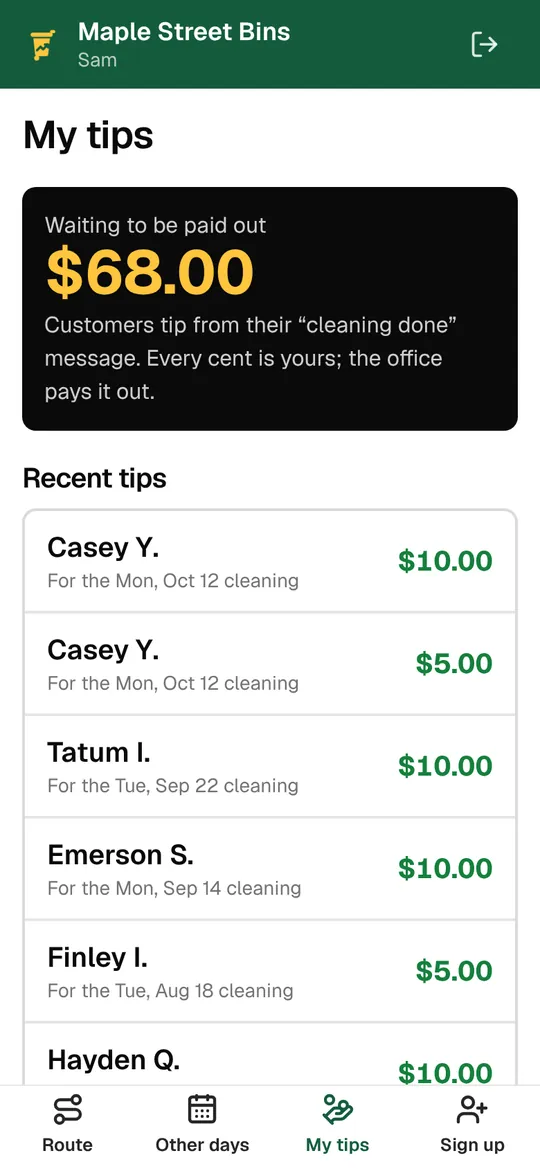
Customers tip from the done text or their account. Every dollar is credited to the technician who cleaned their bins, and technicians see their tips in the app.
- Tips from $1 to $200, with $3, $5 and $10 buttons
- All of it credited to the technician
- You record payouts as you make them
Driver app
The details
- Works on
- Any phone’s browser; add it to the home screen
- Bin results
- Cleaned, Not out, Blocked, Damaged, with notes
- Photos
- Before, after and problem
- Time clock
- Start, lunch, breaks, end; exported for payroll
- Roles
- Technicians, sales reps, and owners or managers who drive
- Directions
- Google Maps, for one stop or the whole route
The driver app runs in the phone’s browser and needs a data connection.
Keep exploring
Try it with your own prices and routes.
3 days free with every feature, and nothing is charged until the trial ends. Everything begins in test mode, so nothing reaches your customers until you’re ready.